



Are you looking for a reliable way to correct the mileage on a Toyota R7F701441 semi-LCD instrument cluster? Yanhua ACDP with Module 35 offers a professional and efficient solution. This post shows a step-by-step guide through the entire process, ensuring a smooth and successful mileage reset. Whether you’re a technician or a DIY enthusiast, this guide will help you achieve accurate results safely.
What You’ll Need:
- Yanhua Mini ACDP/ACDP2
- Yanhua ACDP Module 35
- Smartphone or computer with ACDP APP
Procedure:
Step 1: Prepare the Instrument Cluster
Turn on the ignition to activate the instrument panel.
Record the original mileage for reference.
Carefully remove the instrument cluster from the dashboard.
Disassemble the cluster and locate the chip.
Confirm it is the R7F701441 model.
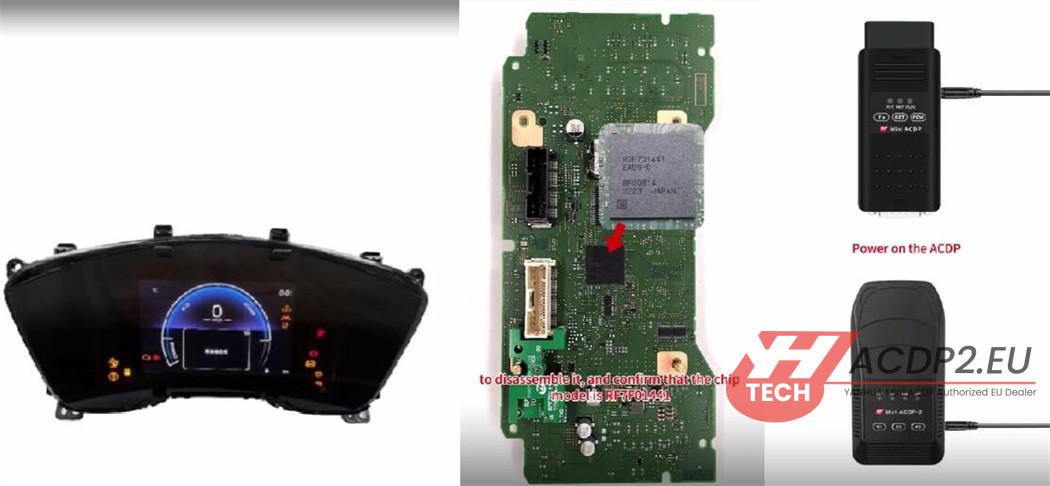
Step 2: Set Up ACDP Hardware & Software
Power on the Mini ACDP device and open the ACDP application on your computer.
Ensure the device is bound — check the upper right corner of the app.
Navigate to Module > TOYOTA ODO > R7F701441> Help.
Connect the interface board to the ACDP device properly.
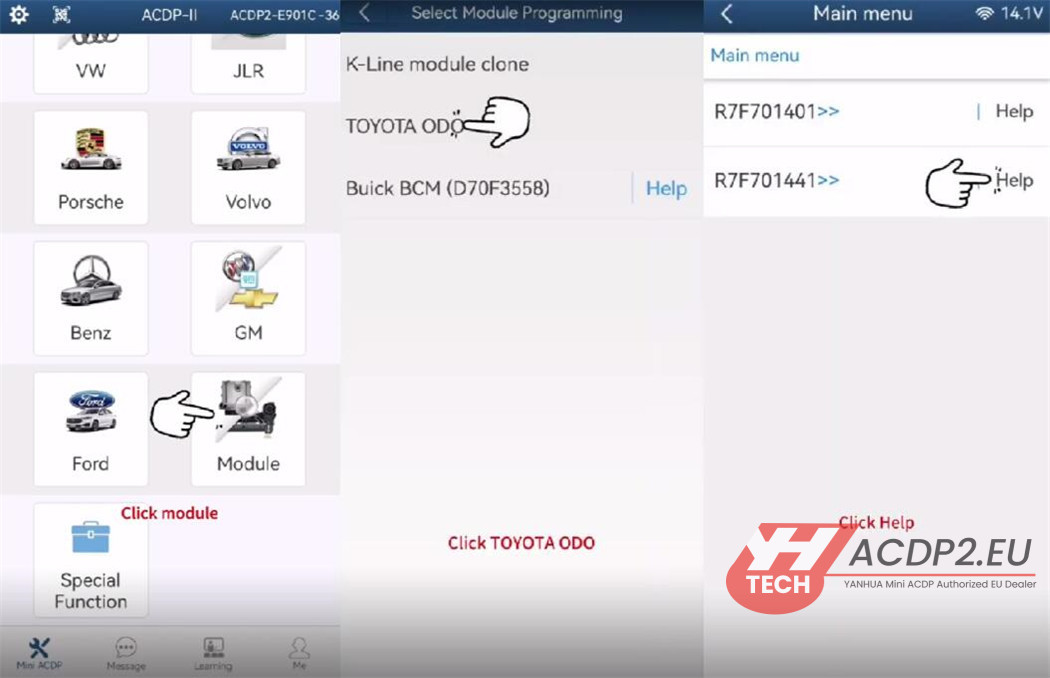
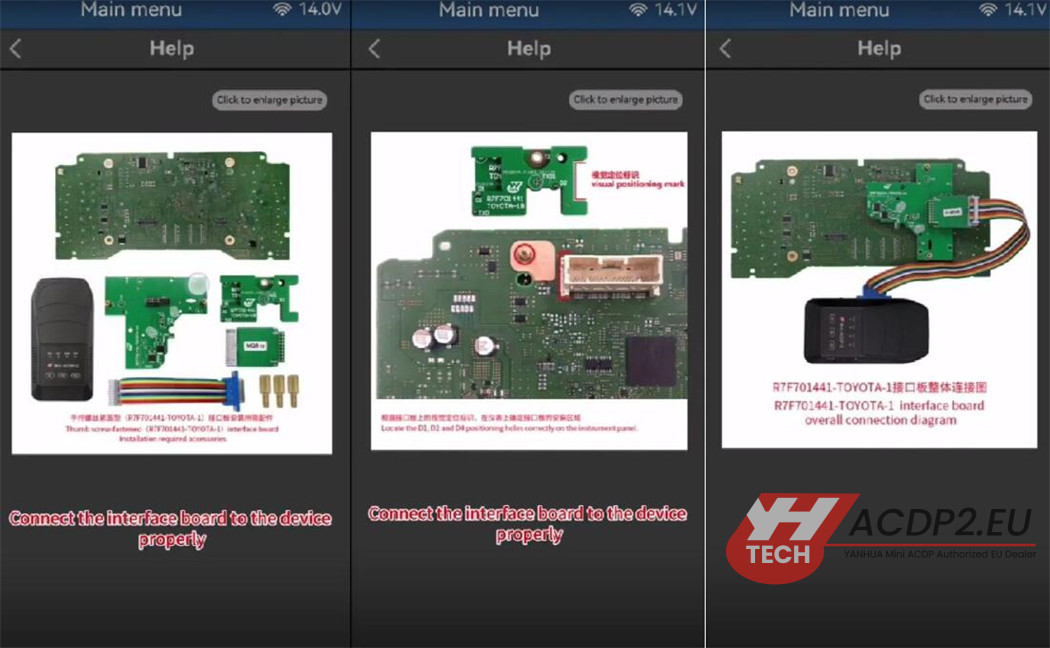
Step 3: Identify and Pre-Process the Chip
Select R7F701441 from the list.
Click “Identify Info” and follow the prompts.
The system will detect that the chip requires pre-processing. Click OK and continue.
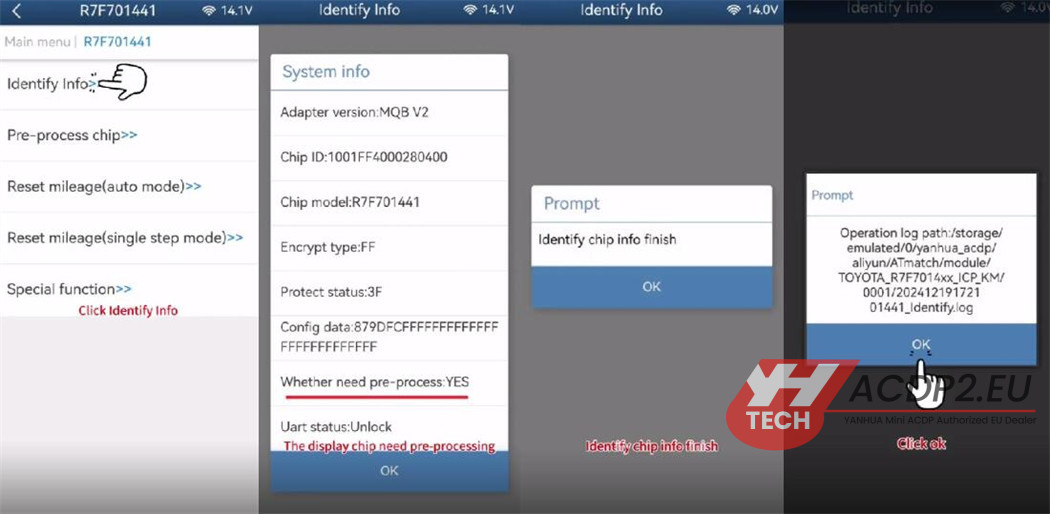
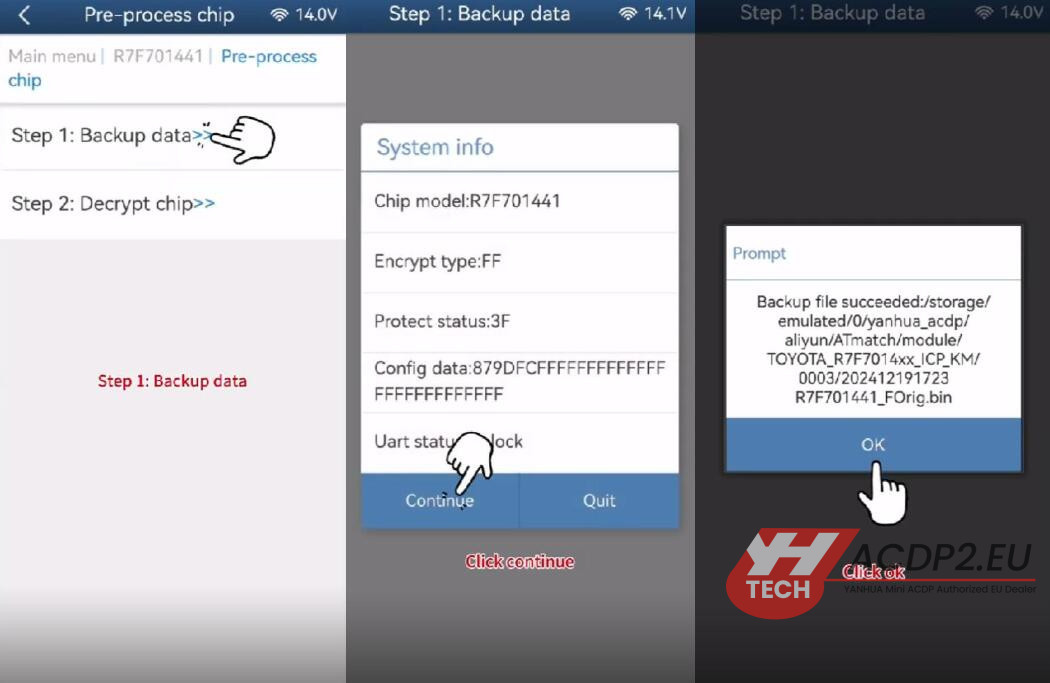
Back up the original chip data:
Click “Pre-process chip” > “Step 1: Backup data”.
Wait for the reading process to complete — do not power off or unplug.
Save the chip data when prompted.
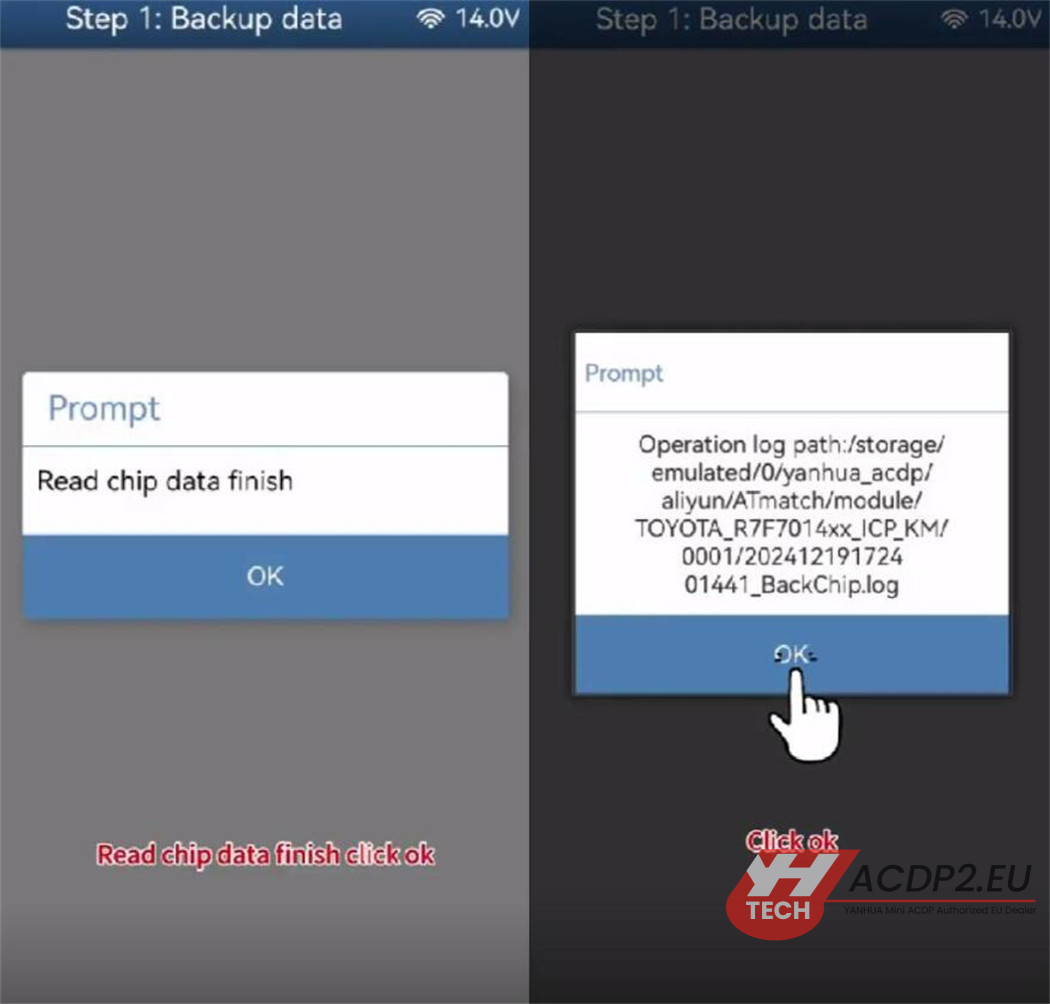
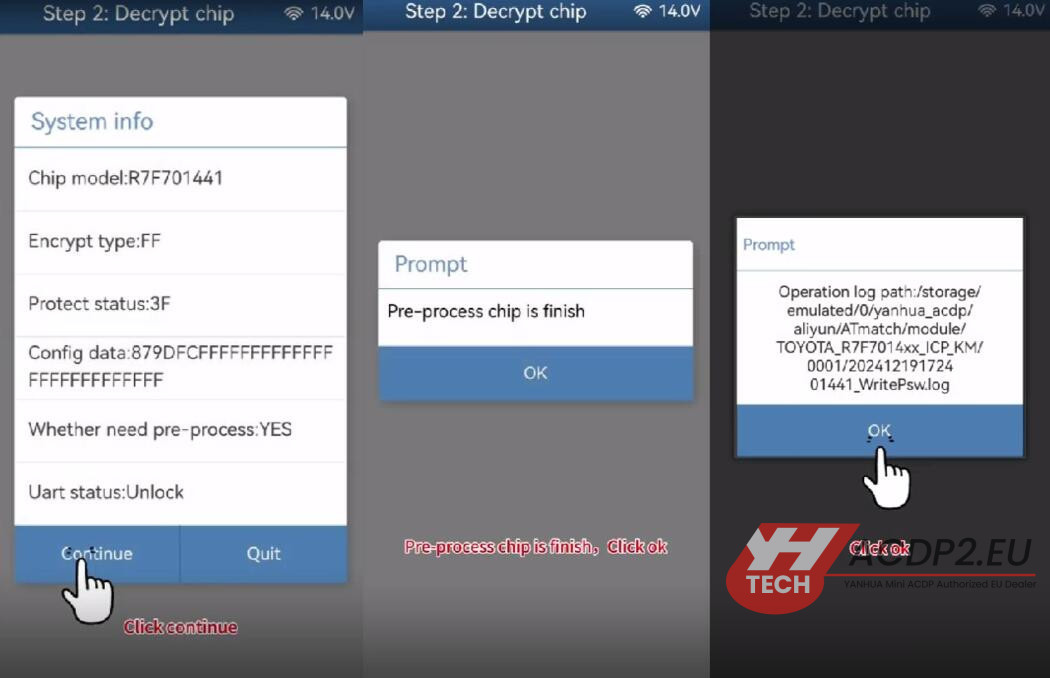
Decrypt the chip:
Follow the on-screen instructions carefully.
Again, do not interrupt the process.
Once decryption is complete, you’ll see a “Pre-Process Finished” message.
Step 4: Reset the Mileage
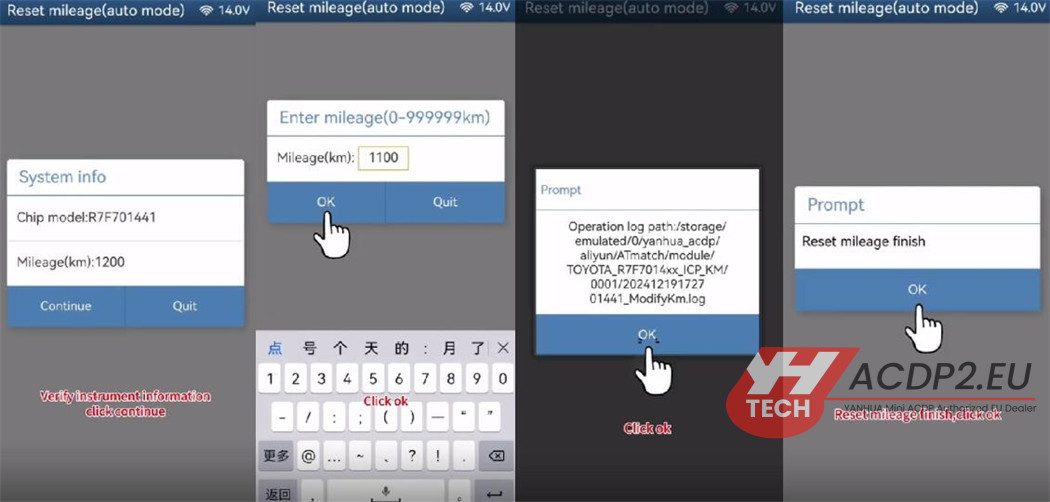
Return to the previous menu and select “Reset mileage (auto mode)”.
The system will confirm that no further pre-processing is needed.
Save the original instrument data again for safety.
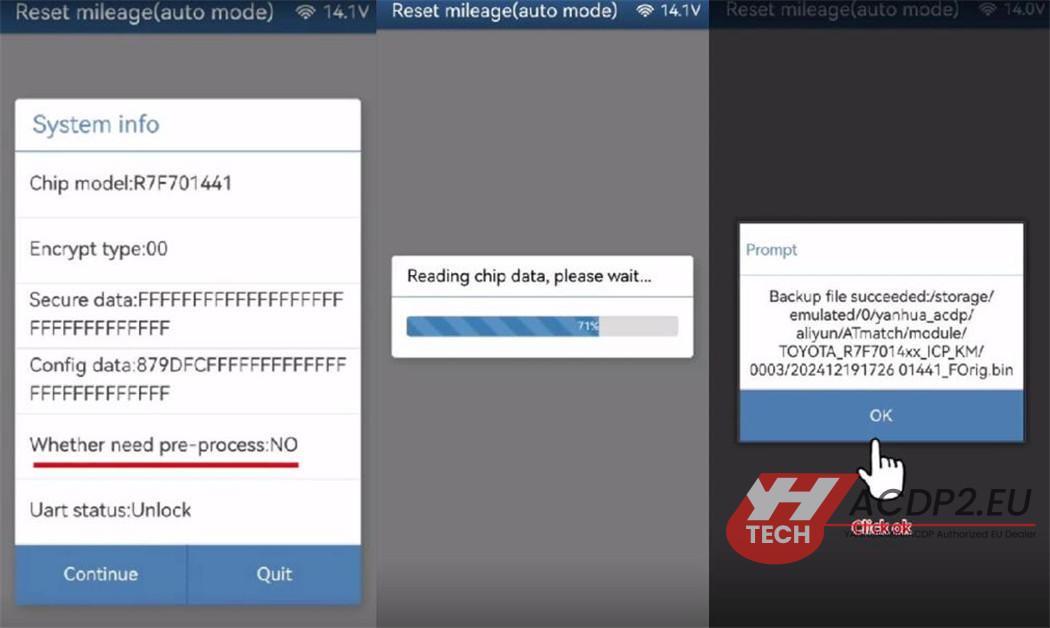
Verify instrument information and proceed.
Enter the new desired mileage (e.g.1100) in the provided field.
Click “Continue” to write the new data to the chip.
Wait for the “Reset Mileage Finish” confirmation.
Step 5: Reinstall and Verify
Reassemble the instrument cluster and install it back into the vehicle.
Turn on the ignition and check the displayed mileage.
Ensure the new mileage is correctly shown and the instrument functions normally.
Important Notes:
- Always back up the original data before making changes.
- Do not power off or unplug the ACDP device during reading or writing.
- Use only the official ACDP software and a properly bound device.
- Handle the instrument cluster and chip with care to avoid damage.
Video guide: