



When using Yanhua Mini ACDP-2 with Module 32 to clone a BMW ZF 6HP gearbox EGS/TCU, you might occasionally encounter a persistent “Gearbox Communication Error” pop-up in ACDP App.
If your device fails to establish communication with the TCU module, follow this official step-by-step troubleshooting guide to resolve the issue and successfully complete the bench cloning procedure.
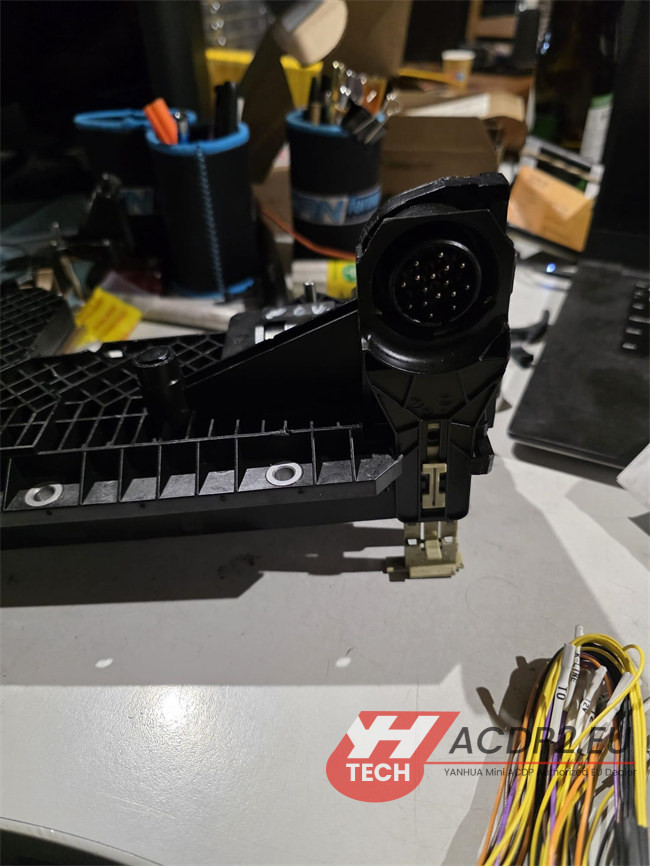
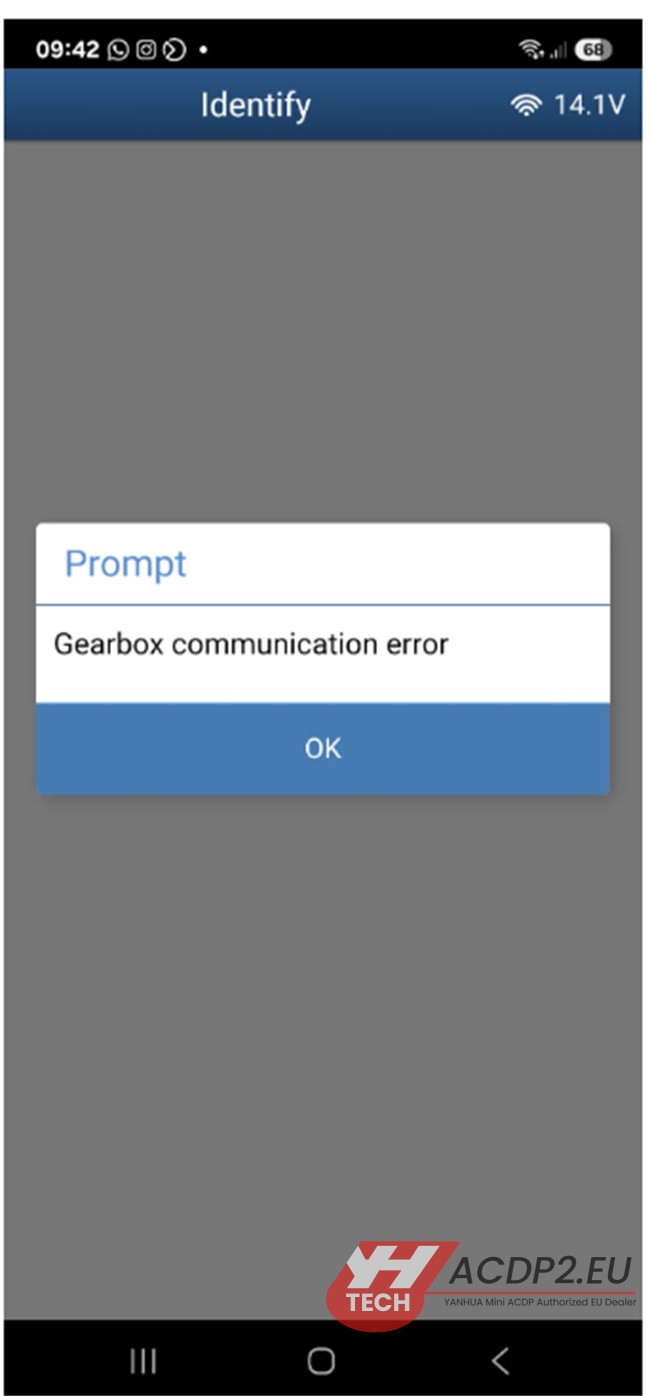
Step-by-Step Troubleshooting Solution
1. Verify the Gearbox Chip/MCU Type
Before troubleshooting your hardware setup, you must confirm the specific microprocessor architecture inside the 6HP TCU.
Use ACDP App to automatically identify or visually inspect the module chip type.
- MPC556 Chip: The cloning process is fully supported. If you have this chip, proceed to the hardware checks below.
- MPC555 Chip: This specific older chip variant is NOT supported for cloning via Yanhua ACDP.
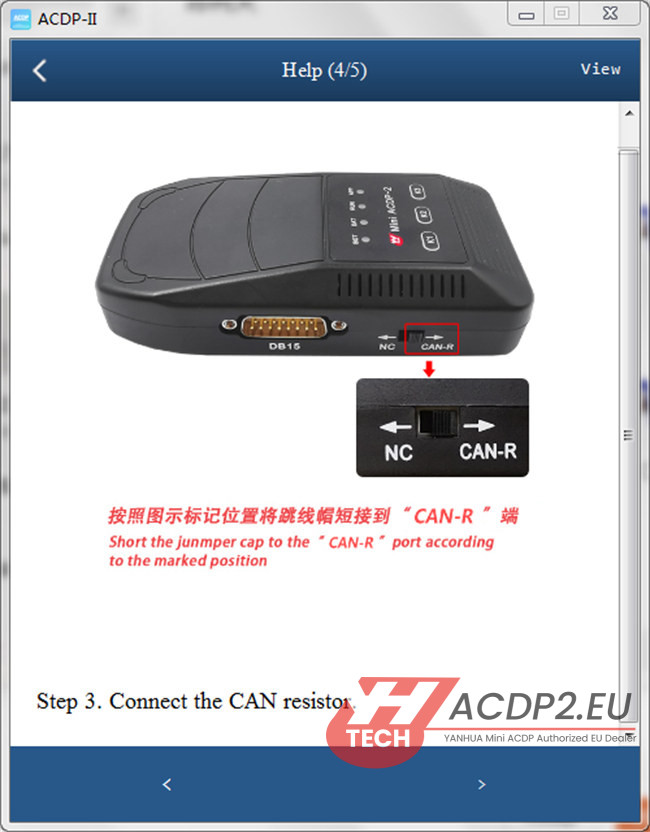
2. Check the CAN-R Switch Position
A common oversight during bench setup is the resistor switch configuration on the main hardware unit.
Locate the physical toggle switch on your Mini ACDP-2 main unit.
Ensure that the switch is pushed firmly to the CAN-R ON (terminating resistor) position. This is mandatory to stabilize the CAN bus communication on the bench.
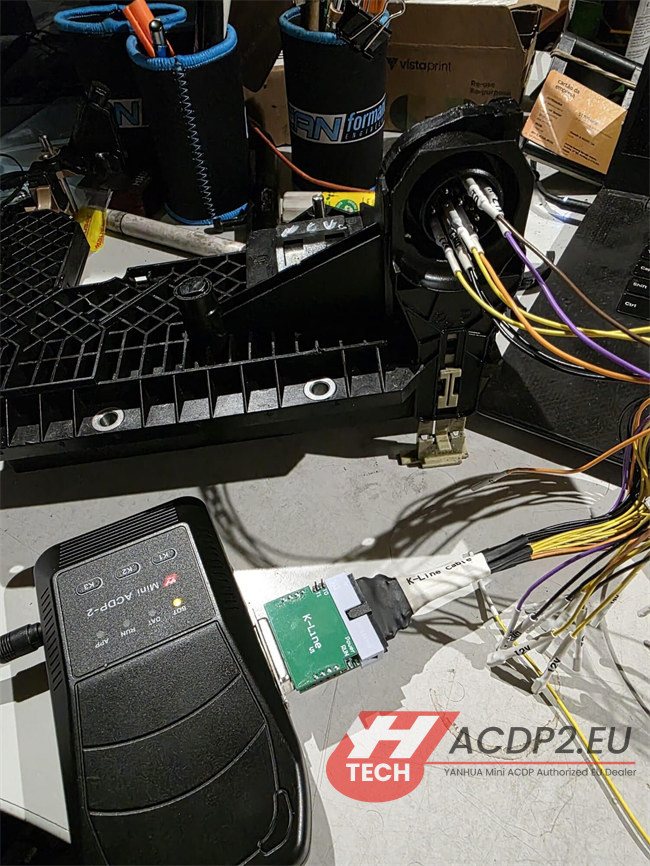
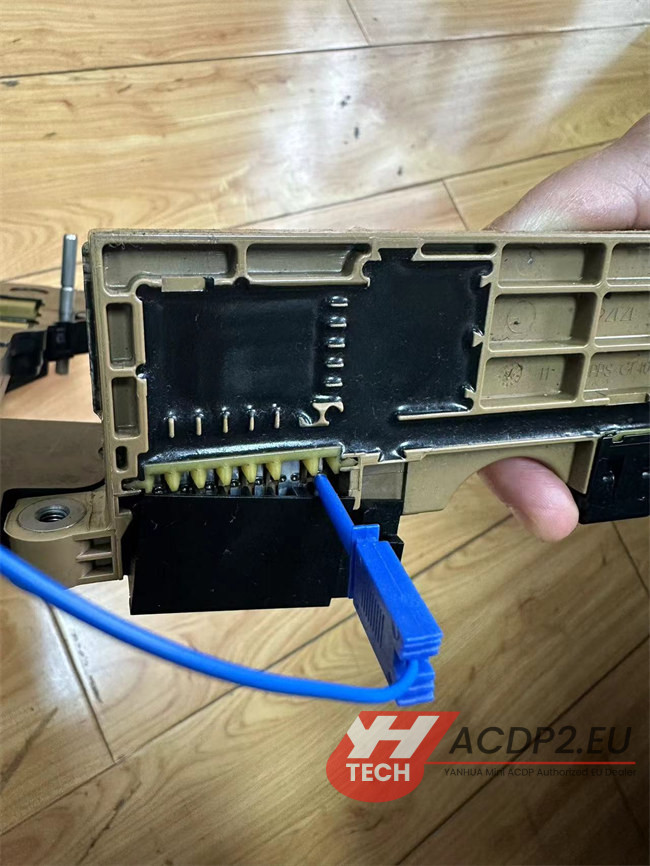
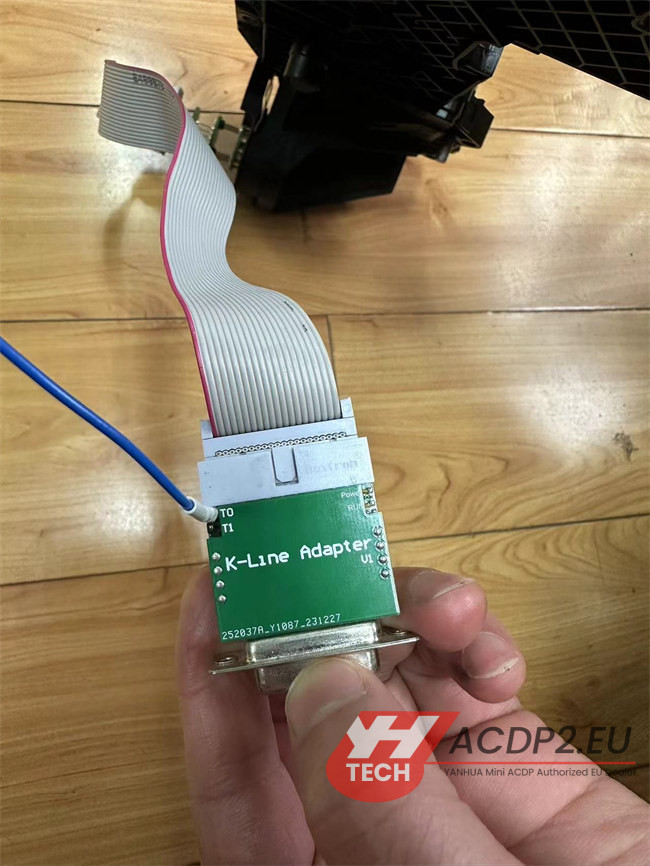
3. Verify Special Wiring Connections (The Blue K-Line Cable)
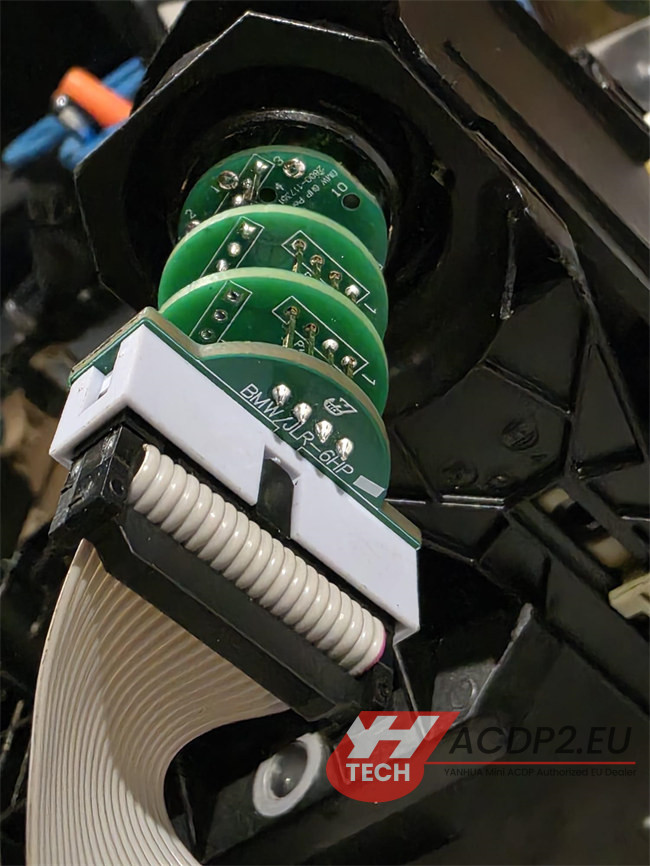
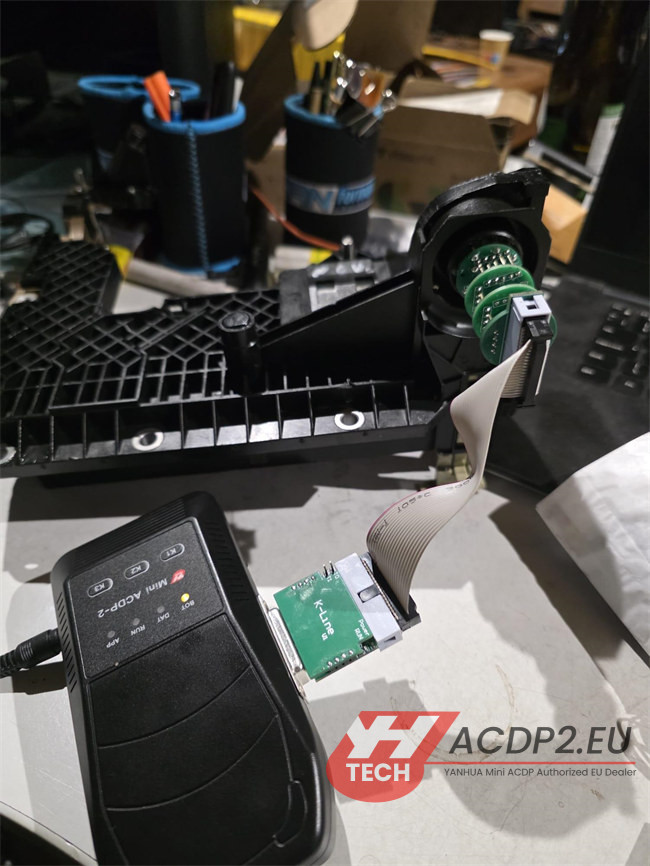
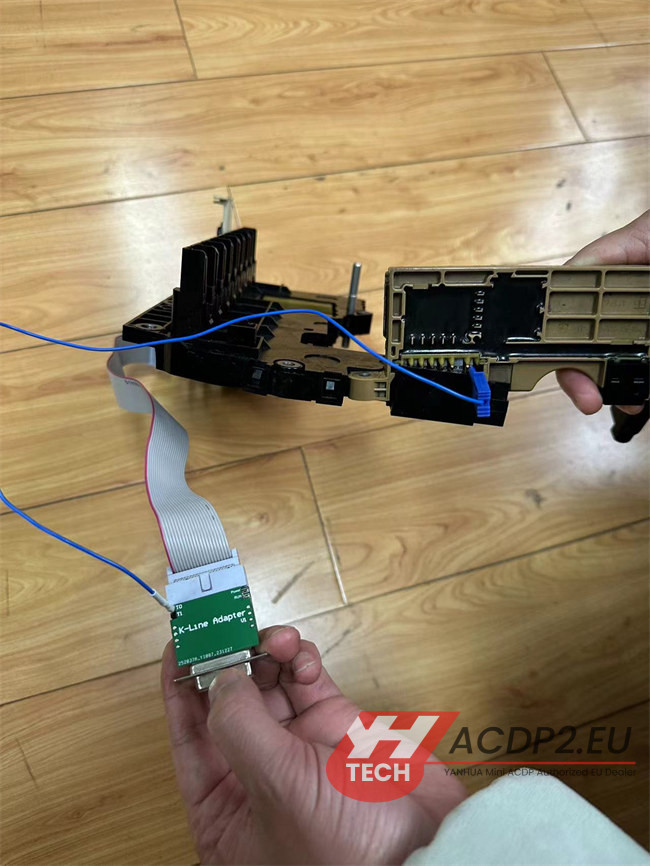
The BMW 6HP transmission module relies on a unique K-Line adaptation depending on the specific chassis/year. Standard OBD or direct pinouts might not suffice.
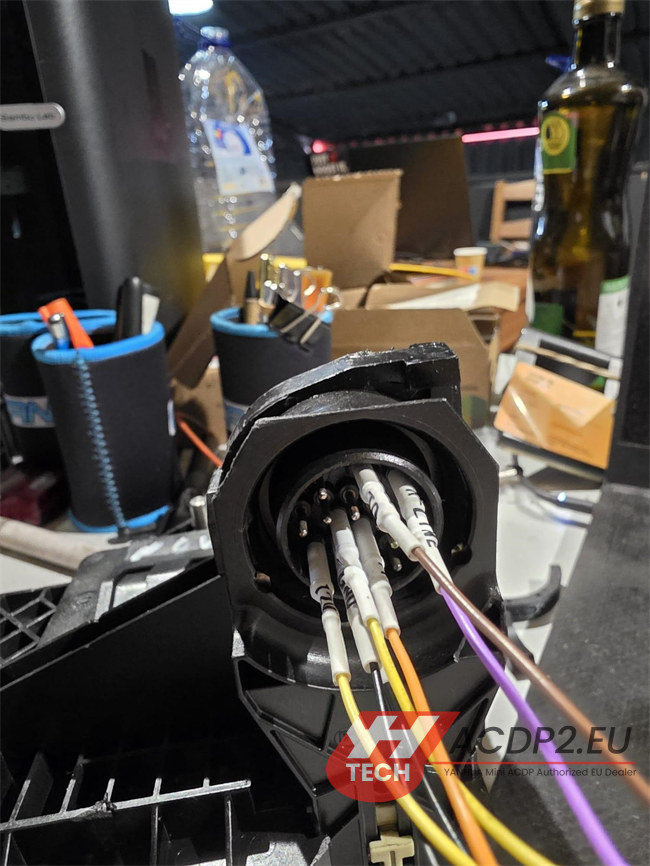
Open your Yanhua Module 32 Kit and locate the special blue cable included in the package.
Connection Method: You must bridge the connection by wiring this blue cable directly between the designated pin on the gearbox connector and the 6HP K-Line Adapter.
Final Step: Retry the Read Procedure
Once you have confirmed that the chip is an MPC556, flipped the main unit switch to CAN-R, and securely attached the blue K-Line cable:
Power cycle your Yanhua ACDP-2 unit.
Re-enter ACDP Module 32 menu in ACDP App.
Select the appropriate BMW 6HP EGS model and click Read/Clone again.
The communication link should now stabilize, allowing you to back up and transfer the TCU data successfully!
Tech Support:
E-Mail: sales@ACDP2.eu
WhatsApp: +86 18054815707
www.acdp2.eu