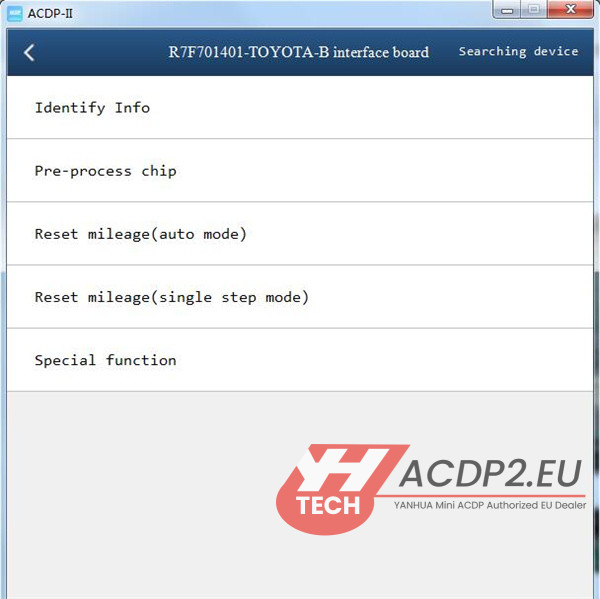
This post shows how to perform TOYOTA R7F701401 encrypted chip instrument mileage correction using Yanhua ACDP2 with Module 35 and R7F701401-TOYOTA-B Interface Board on bench. No soldering, no lifting chip pins, and no capacitor removal required.
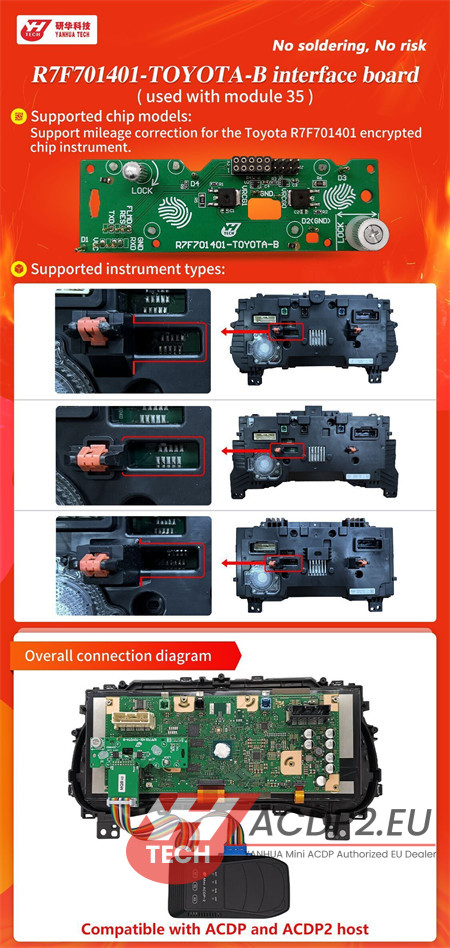

How to Identify an Encrypted Toyota R7F701401 Cluster?
Before starting, you must determine whether the Toyota R7F701401 instrument cluster is encrypted or unencrypted to select the correct hardware adapter.
Method 1: Check the Alignment of Red Clips and Grooves
- Encrypted Type: If the red clips and grooves on the PCB layout are parallel, the chip is encrypted. You MUST use the new Yanhua R7F701401-TOYOTA-B Interface Board.
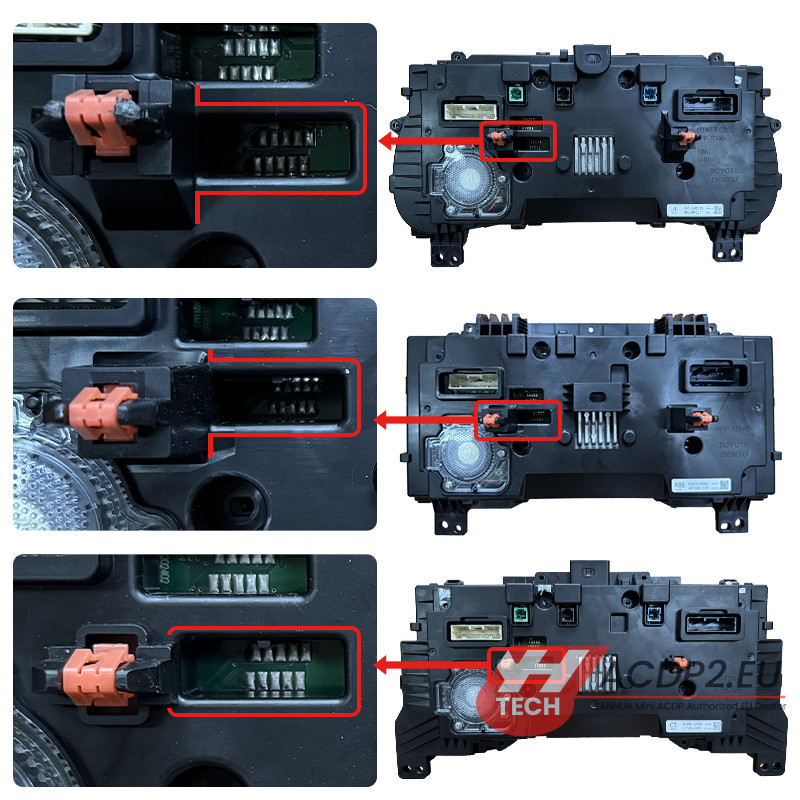

- Unencrypted Type: If they are non-parallel, the chip is unencrypted. You should use the standard Yanhua Toyota R7F701401 Unencrypted Interface Board.

Method 2: Specific Visual Identifiers
Certain Toyota R7F701401 cluster variations are inherently encrypted. Always double-check your PCB layout against the official Yanhua reference library. (Insert 
Hardware Bench Connection Guide
1.Preparation
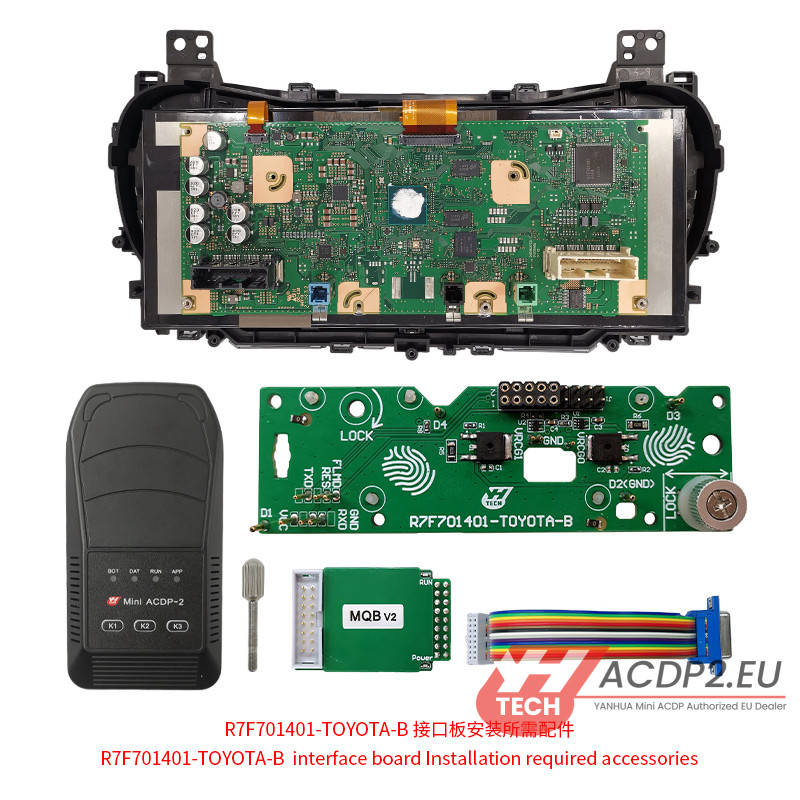
Ensure you have the following components ready before assembly:
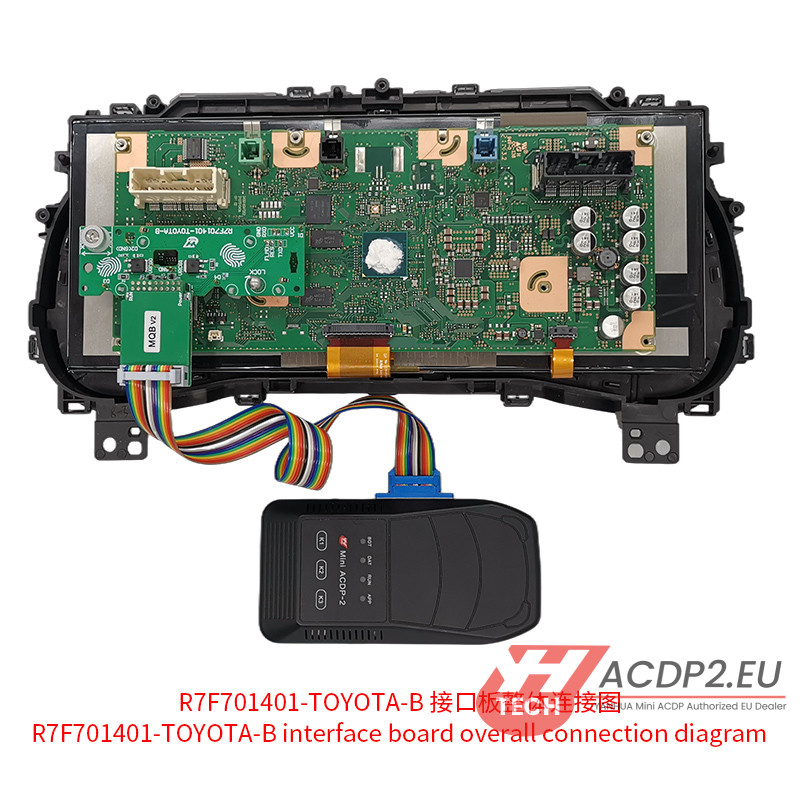
- Yanhua Mini ACDP-2 Main Unit
- MQB V2 Adapter, 20-PIN Cable, and Fixing Screws (included in ACDP Module 35)
- Yanhua ACDP R7F701401-TOYOTA-B Interface Board
- The target TOYOTA R7F701401 encrypted instrument cluster
2.Step-by-Step Interface Board Installation
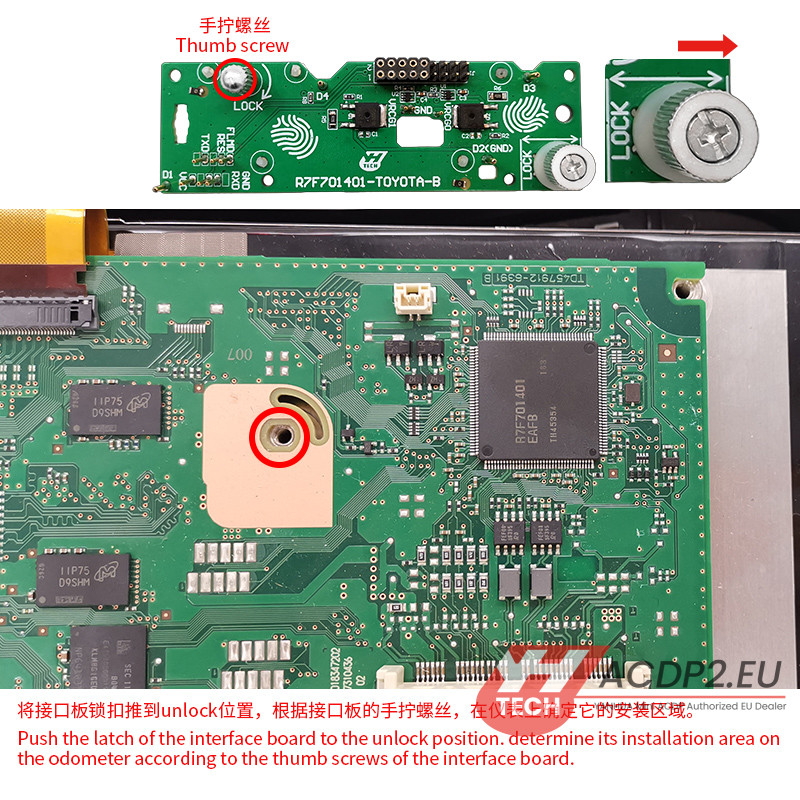
Step 1: Unlock the Latch
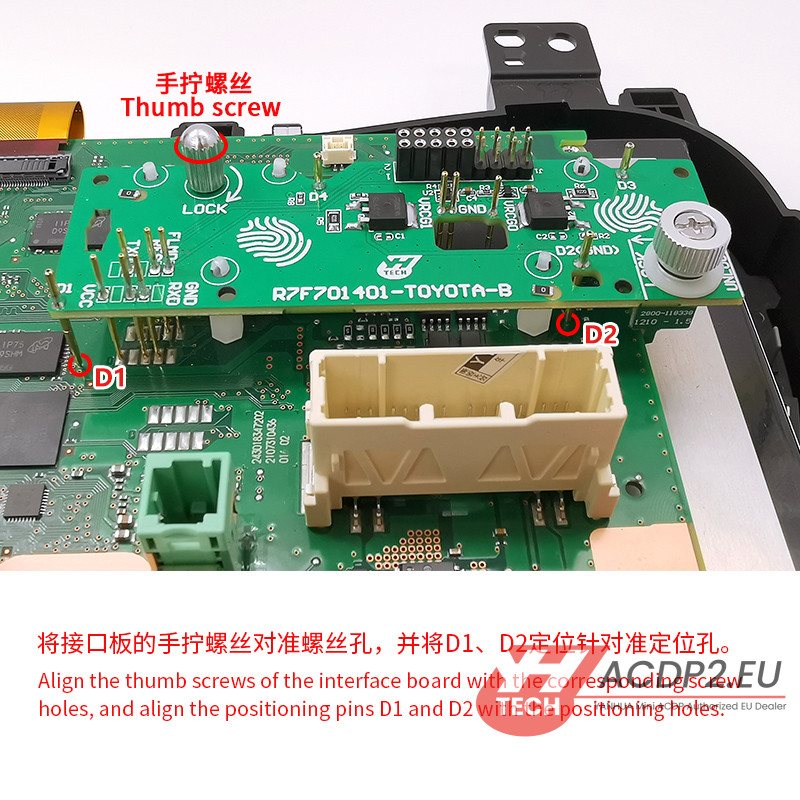
Push the plastic latch on the interface board to the Unlock position. Locate the correct mounting area on the odometer PCB by aligning it with the thumb screws on the adapter board.
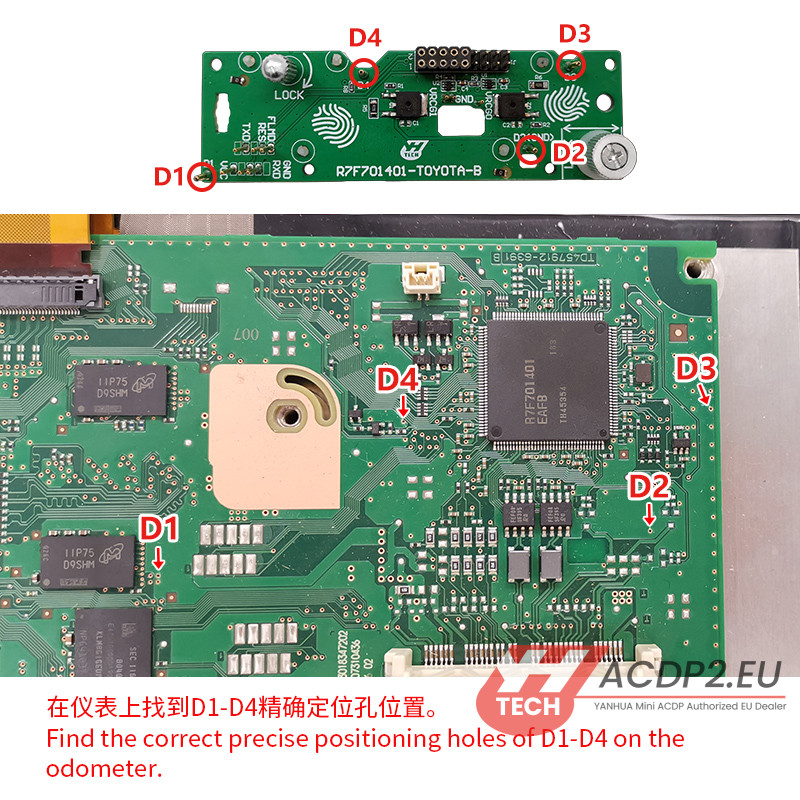
Step 2: Locate Positioning Holes
Identify the factory-etched guide holes labeled D1, D2, D3, and D4 on the cluster circuit board.
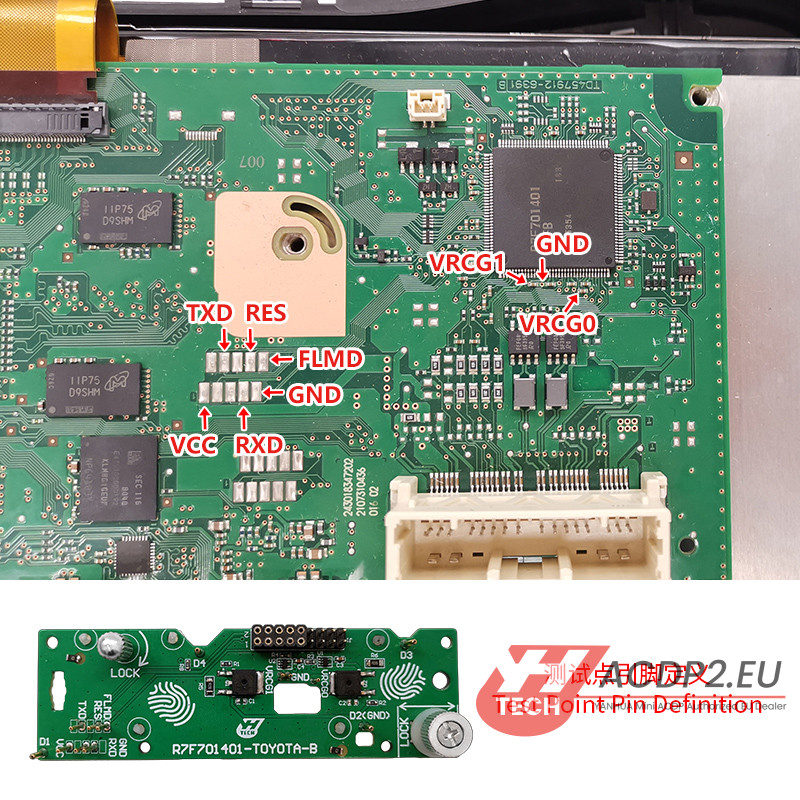
Step 3: Verify Pin Definitions
Check the pogo pin definitions and ensure all contact points on the board are clean and aligned.
Step 4: Align the Adapter Board
Align the adapter’s thumb screws with the corresponding mounting holes on the odometer. Make sure the alignment pins (D1 and D2) sit perfectly in their designated PCB guide holes.
Step 5: Secure and Lock
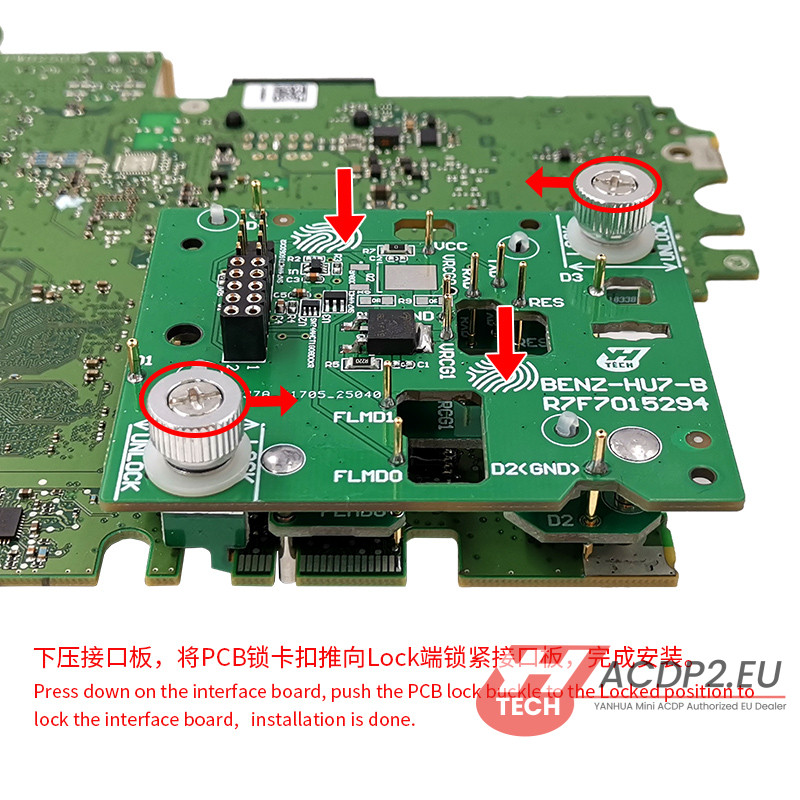
Press down gently but firmly on the interface board. Hand-tighten the fixing screws, then slide the PCB lock latch to the Lock position to secure the solderless connection.
Mini ACDP App Operation Software Menu Path
Once the hardware setup is securely locked down, open Mini ACDP App on your device and execute the following software steps:
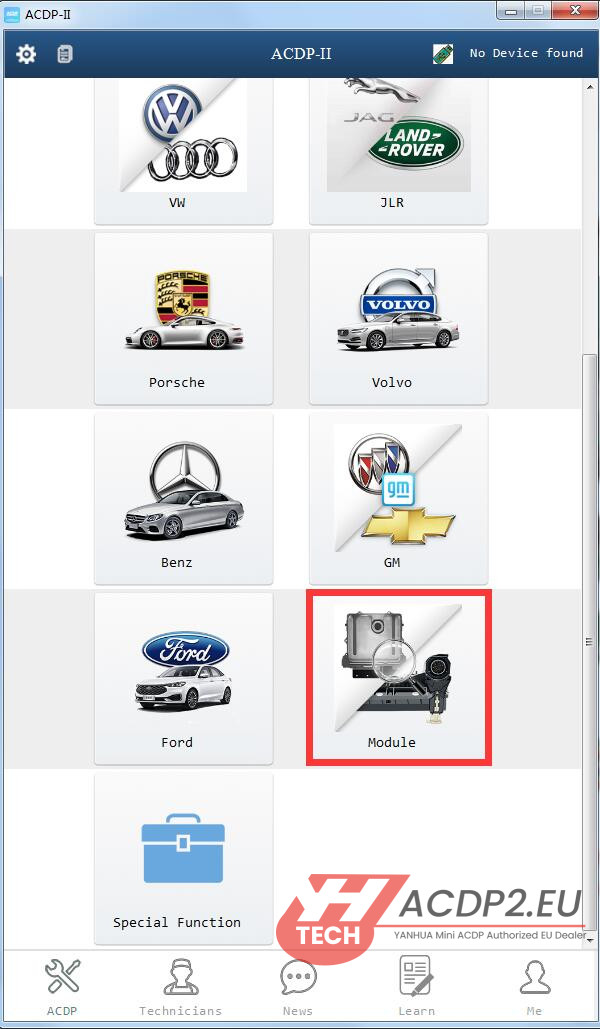
1. Navigation Path
Go to: Module ➡️ TOYOTA ODO ➡️ R7F701401 (Encrypted) ➡️ R7F701401-TOYOTA-B interface board

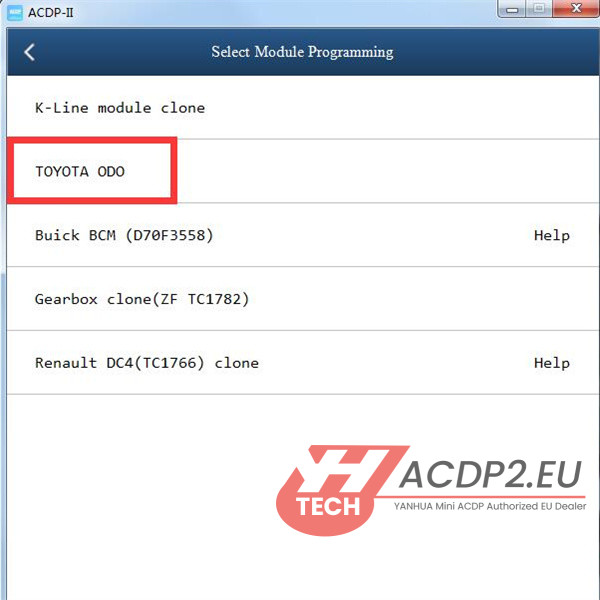

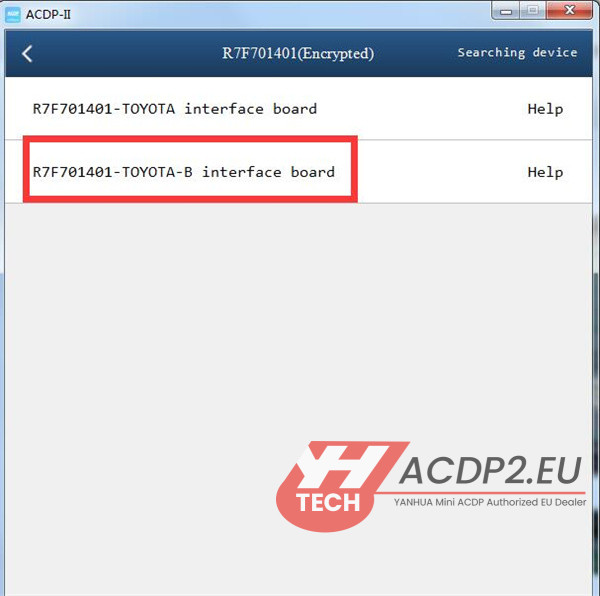

2. Programming Procedure
Identify Info: Read and verify the vehicle’s original cluster configuration and current mileage.
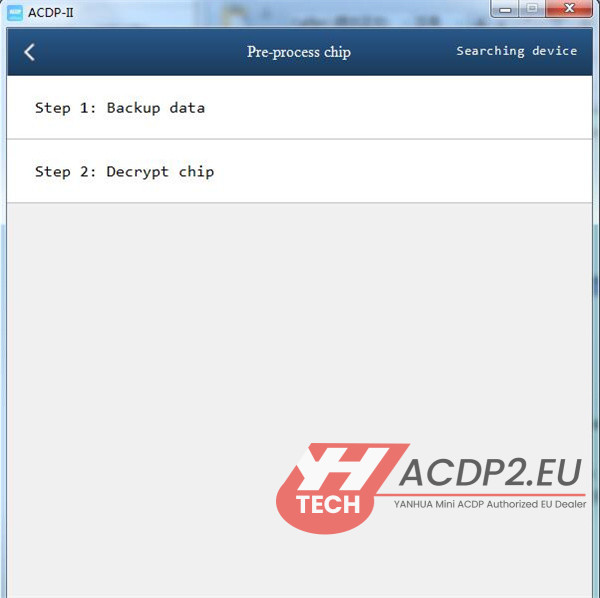
Pre-process Chip:
Step 1: Backup Data (Crucial step: Always save your original EEPROM/Flash data dump).
Step 2: Decrypt Chip (The app will automatically modify the security status via the interface board).
Reset Mileage: Select Auto Mode, input your desired new odometer value, and let the software complete the write process automatically.