



How to copy BMW BDC2 encrypted key using Yanhua Mini ACDP2?
Check the detailed operation guide below.
Preparation:
l Mini ACDP/ACDP2 with Module 38 License Activation
l ACDP BMW BDC2 BDC3 Encrypted Key Copying Interface Board Set
l Original key
l New key to be programmed (original key or second-hand locked keys)
Software Requirement:
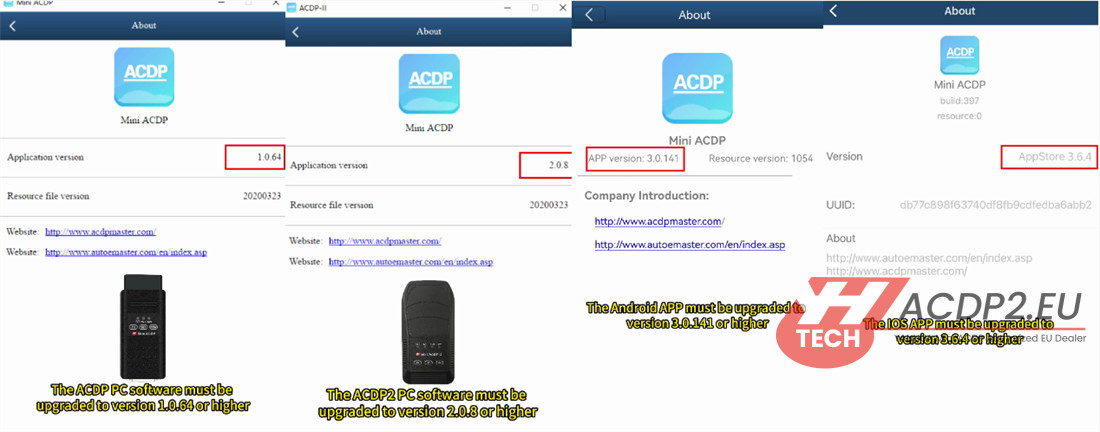
l ACDP PC software: V1.0.64 or newer
l ACDP2 PC software: V2.0.58 or newer
l Android App: V3.0.141 or newer
l iOS App: V3.6.4 or newer
Main steps:
Step 1: Read original key data
Step 2: Write BDC2 key data
Detailed operation guide:
Step 1: Read original key data
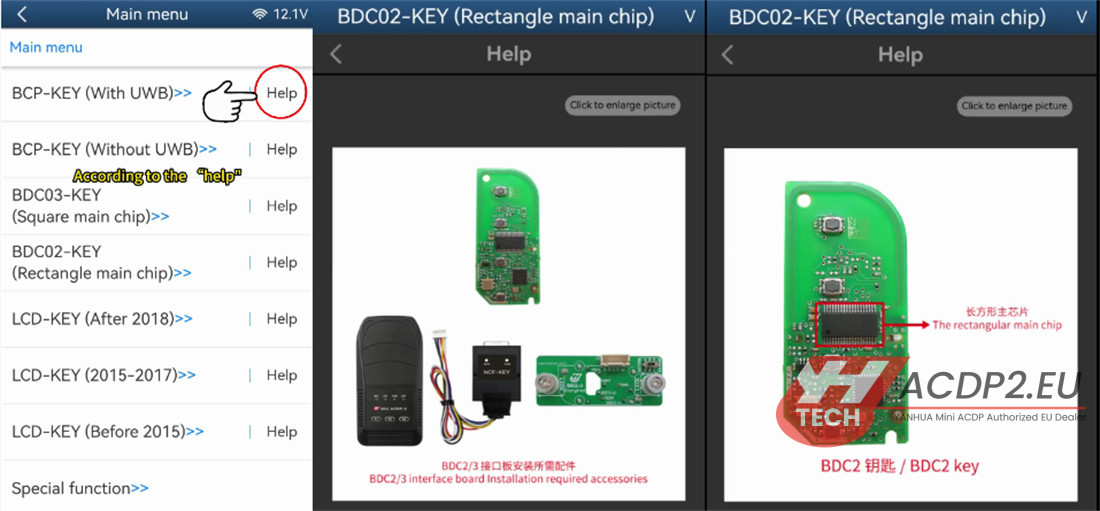
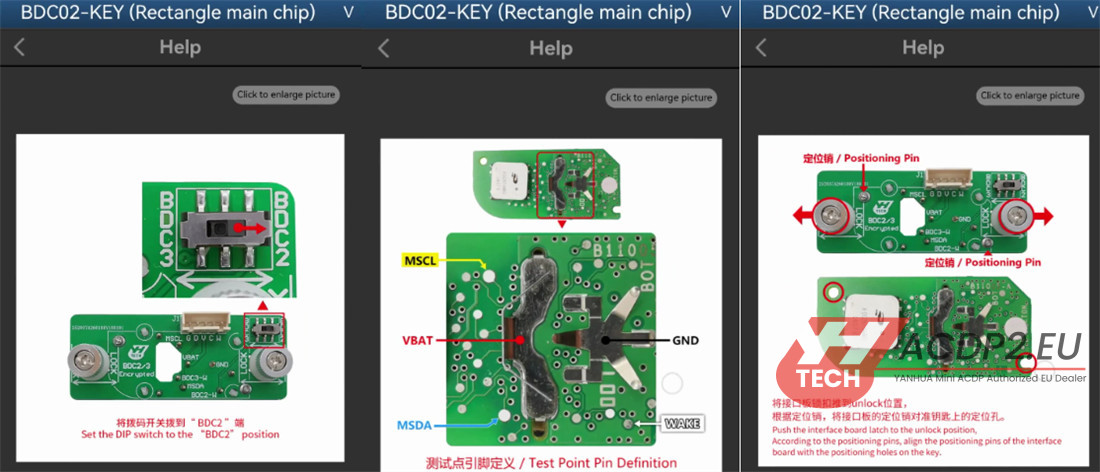
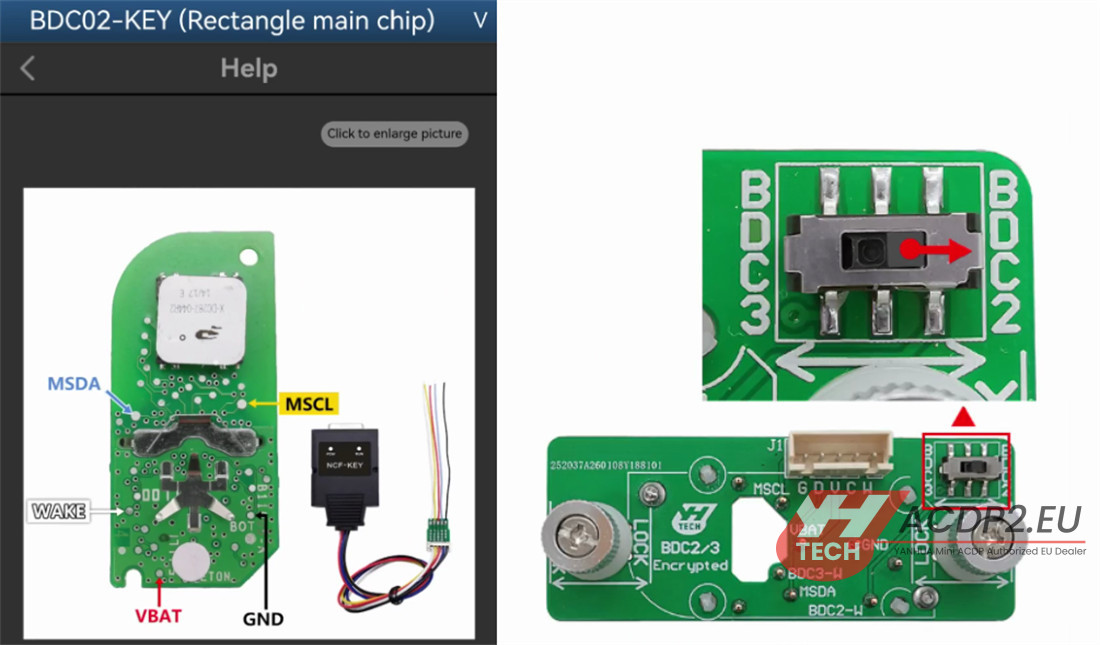
1.Disassemble the original BDC2 encrypted key. Identify the long main chip on the circuit board.

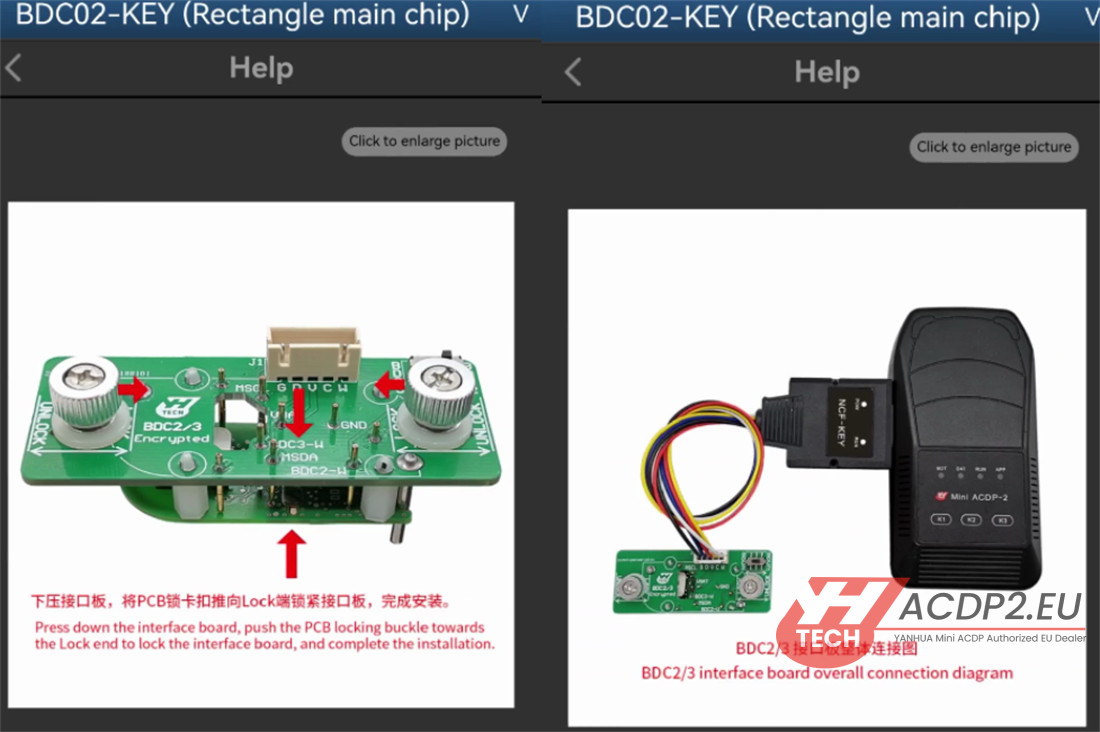
2.Establish Connection: Connect ACDP2, Yanhua BDC2 Encrypted Key Copying interface board, and the original BMW key as shown in the figure below
3.Navigate Software: On ACDP app, go to:
BMW -> FEM/BDC -> IMMO/Mileage -> BDC02/BDC03/BCP/LCD key (encrypted chip) ICP copy key -> BDC02 Key (Rectangle main chip).
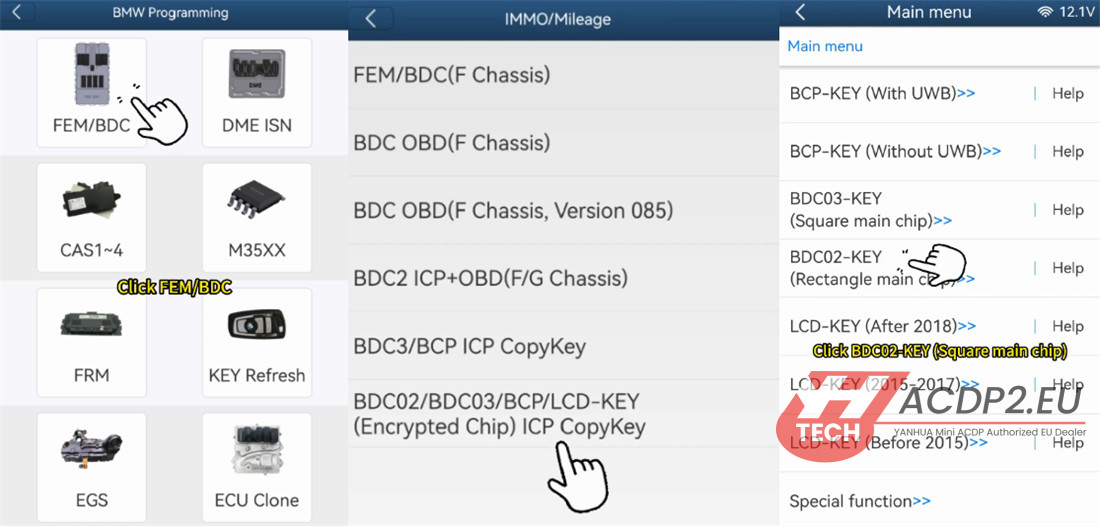
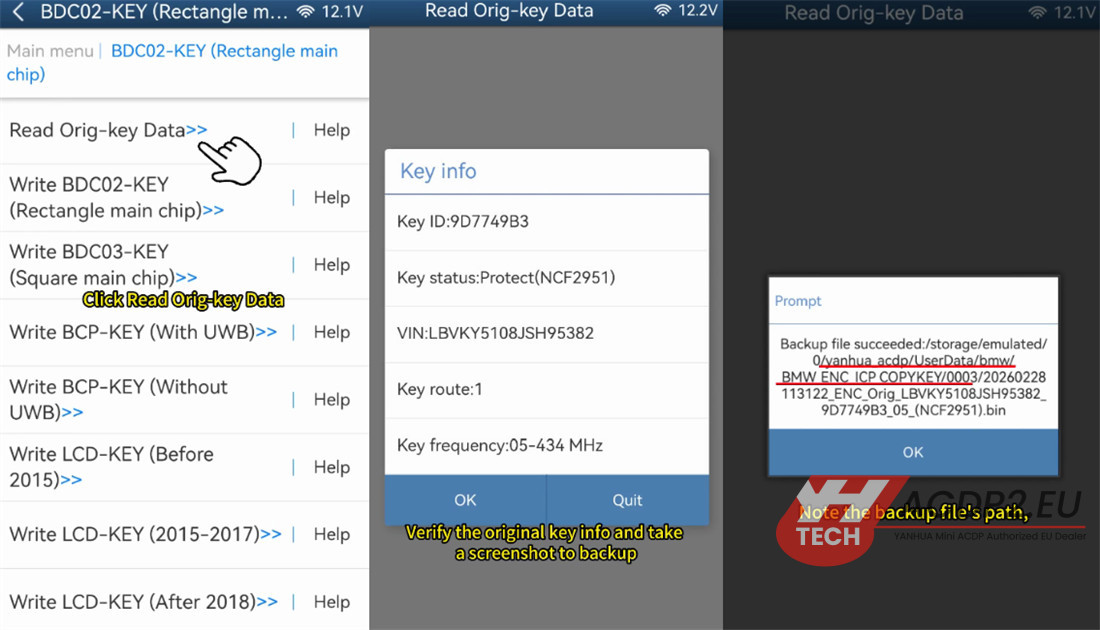
4.Read Data: Initiate the process to read data from the original key.
5.Verify & Document: Confirm the original key information is displayed correctly and take a screenshot.
Make a note of the backup file path, date, time, VIN, and Key ID.
Ensure the backup file name ends with the .bin extension.
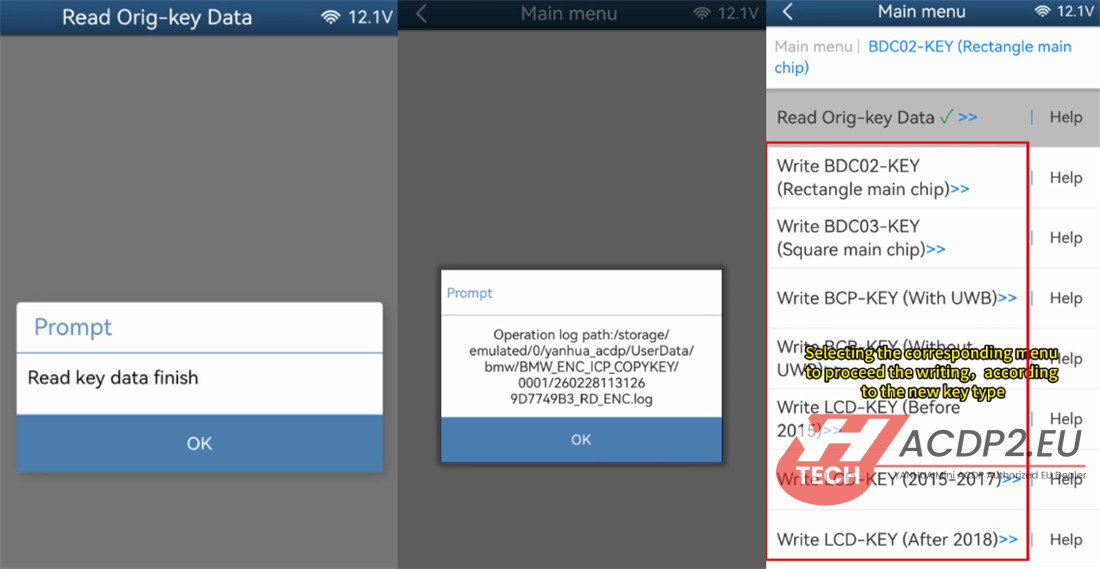
Step 2: Write BDC2 key data
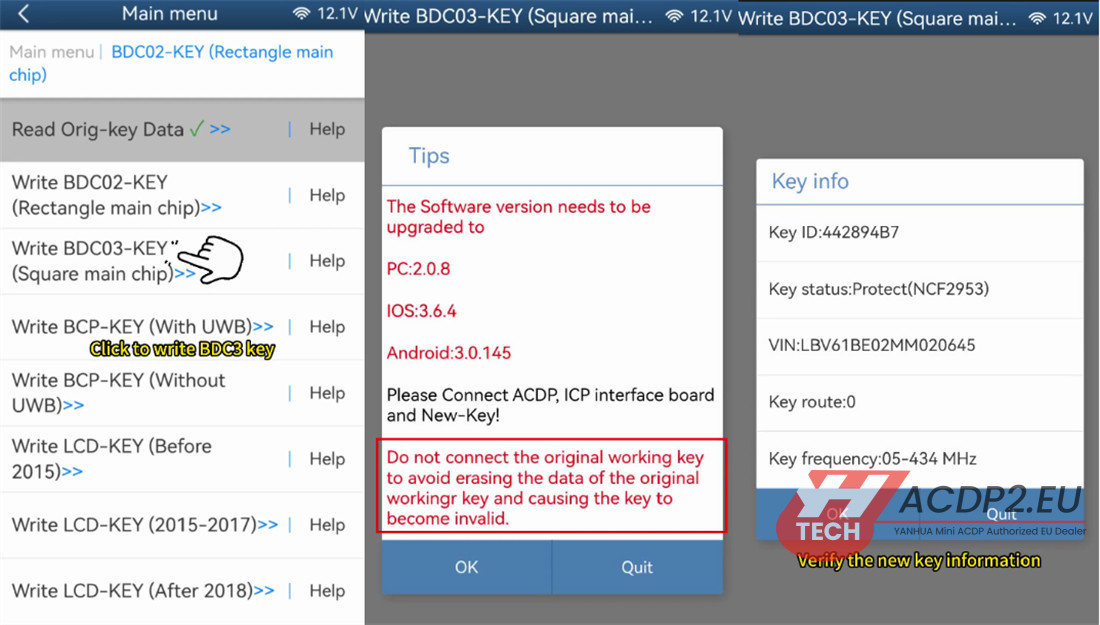
1.Select Menu: Based on the type of new key you have (BDC03, BCP, or LCD), choose the corresponding menu option for writing.
2.Key Compatibility: Note that the new key can be either a brand new original key or a second-hand locked key; both are compatible.
3.Disassemble the new key and confirm its specific type.
4.Connect Mini ACDP2, ICP interface board, and the new BMW key.
Example for Upgrading: To replace a BDC2 key with a BDC3 key, switch the DIP button on the interface to the BDC3 side and select the option to write a BDC03 Key Square main chip.

⚠️ Critical Warning: Do not connect the original working key during this step. Connecting it could erase its data and render it invalid.
5.Verify New Key: After the write process, read the new key data to confirm success. Take a screenshot.
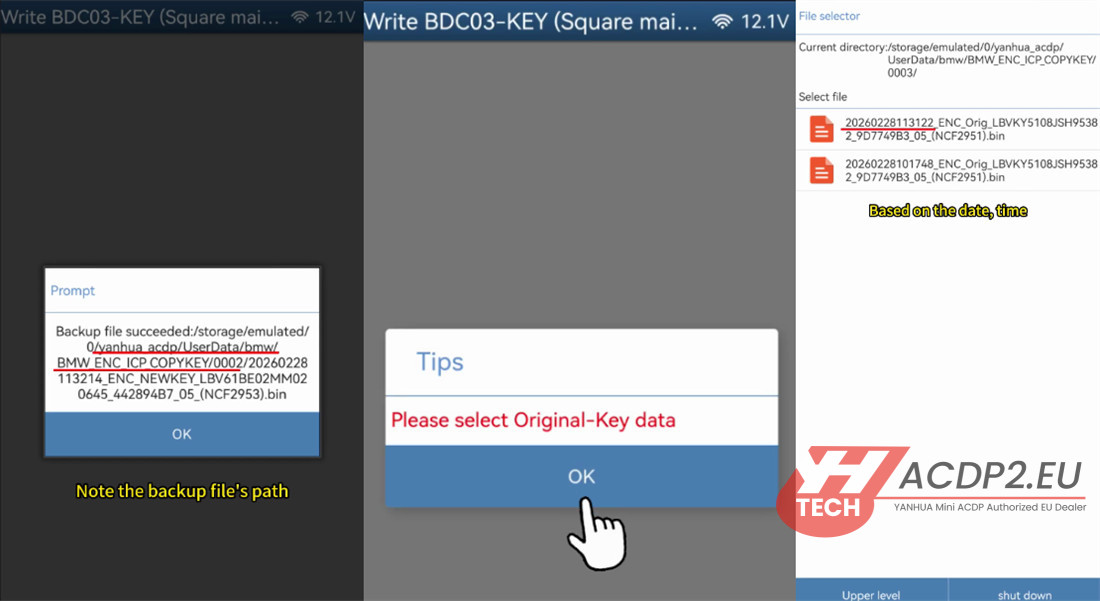
6.Document: Again, note the backup file path, date, time, VIN, and Key ID. Ensure the file name ends with .bin .
7.Select Source File: Click “OK” and select the correct original BDC2 key data backup file. Double-check that it matches the original key info.
8.Complete Write: Proceed to write the key data. Wait for the process to finish.

9. Final Testing
Reassemble both the original and the newly programmed key.
Vehicle Test: Test both keys in the vehicle to ensure they function correctly (locking, unlocking, and starting the engine).
Read also:
Yanhua ACDP2 Copy BMW BDC3 Encrypted Key
Yanhua ACDP2 Copy BMW BDC2/BDC3/BCP/ LCD Key (Encrypted Chip)