



This post demonstrates how to add new key to BMW G Series BDC3 module using Yanhua Mini ACDP/ACDP2 on bench.
Required Tools:
- Yanhua ACDP2 or ACDP Key Programmer
- Yanhua Module 38 License
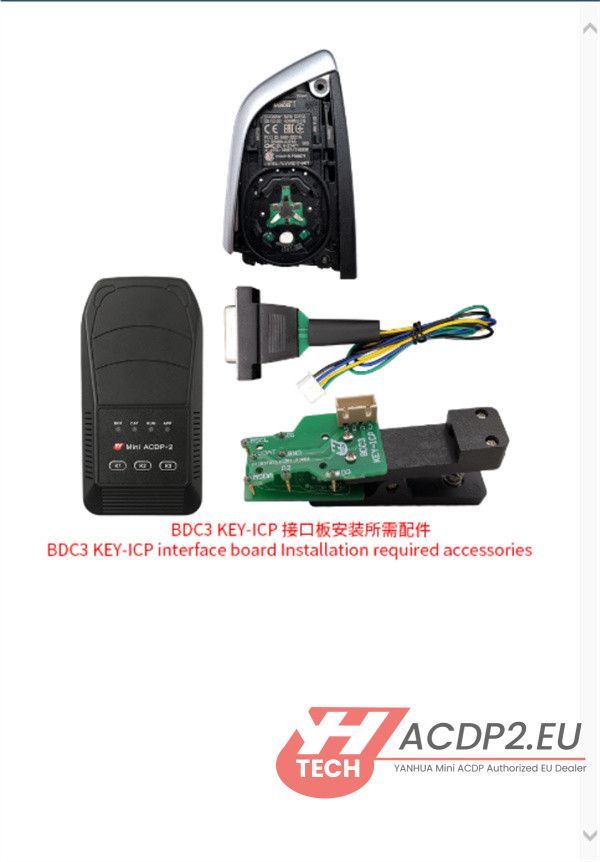
- Yanhua BMW BDC3/BCP ICP Interface Board
- BMW G-Series BDC3 key
1.Update Software
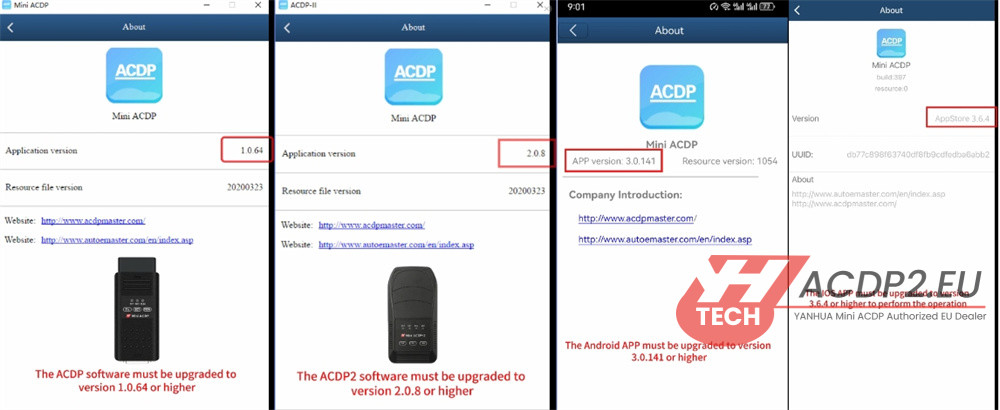
Ensure your ACDP software is up to date with at least the following versions:
- ACDP1 App: V1.0.64+
- ACDP2 App: V2.0.8+
- PC Software: V3.0.141+
- iOS App: V3.6.4+
2.Inspect Original Key
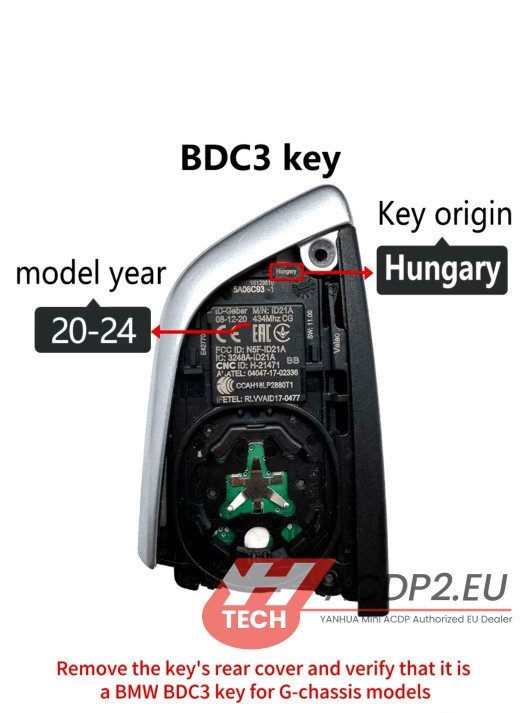
Open the key’s rear cover.
Verify it is a Hungary-manufactured BMW BDC3 key for G-Chassis models (2020-2024).
3.Start the Tool
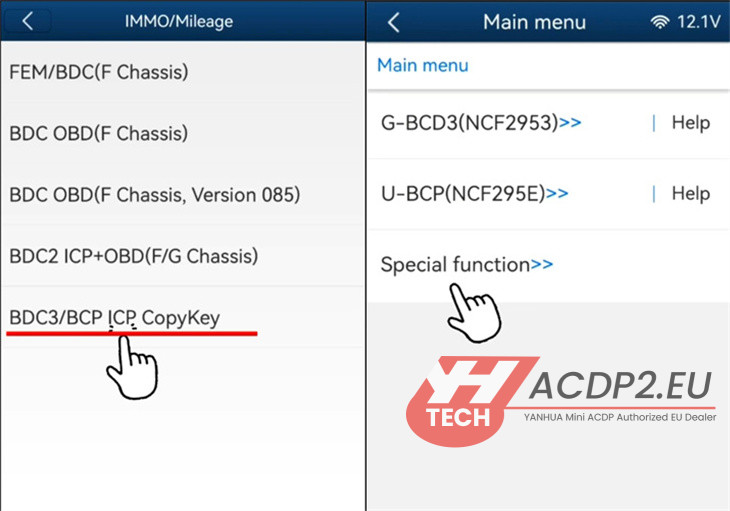
Open ACDP II software.
Go to: BMW → BDC3/BCP ICP Copy Key → Special Function.
4.Retrieve Key Information
Choose Identify Key Info by BAV Adapter.
Connect your Mini ACDP to the BAV adapter.
Insert the original key, read its data, and save the information.

5.Read Data from Original Key
Return to the previous menu and select Help for G-BDC3 (NCF2953).
Correctly connect the original key, Yanhua BMW BDC3 ICP board, and the Mini ACDP unit.
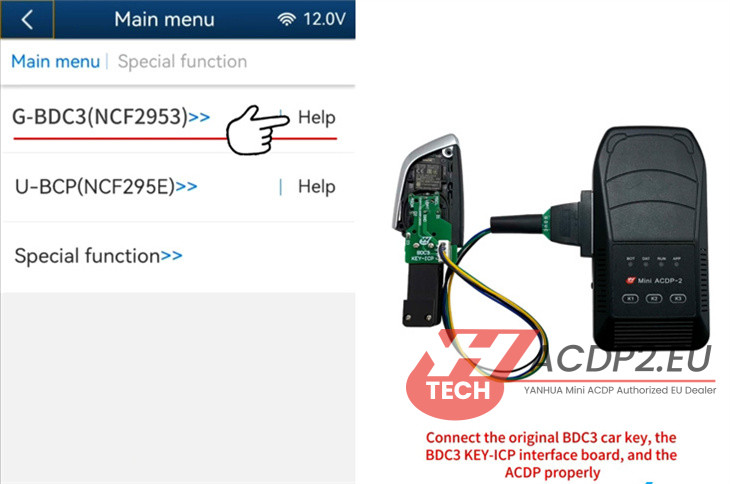
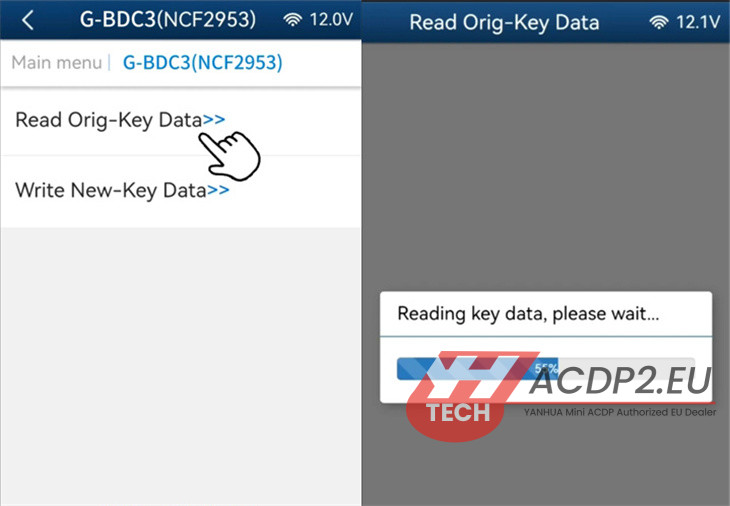
Select G-BDC3 (NCF2953) → Read Orig-Key Data.
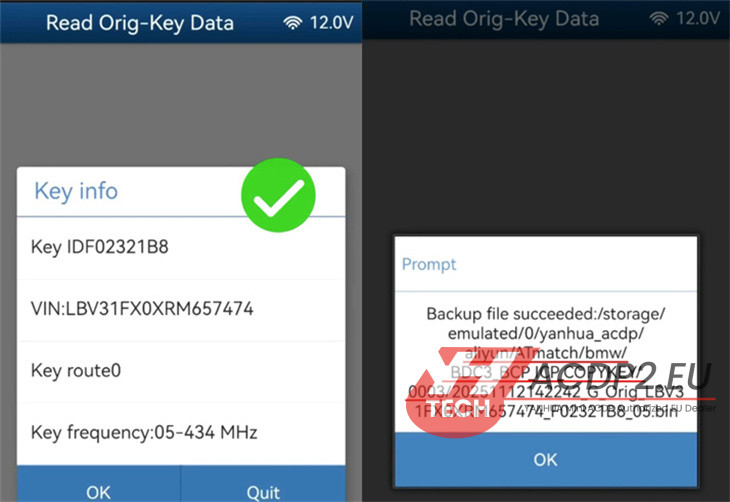
Review the key details and confirm to continue.
6.Save Key Data Backup
Save the key data as a .bin file.
Note the file path, date/time, VIN, and Key ID for your records.
7.Program New Key
Swap the original key for a blank, new key.
Select Write New Key Data.
🔴 Critical: Ensure the original key is not connected at this stage.
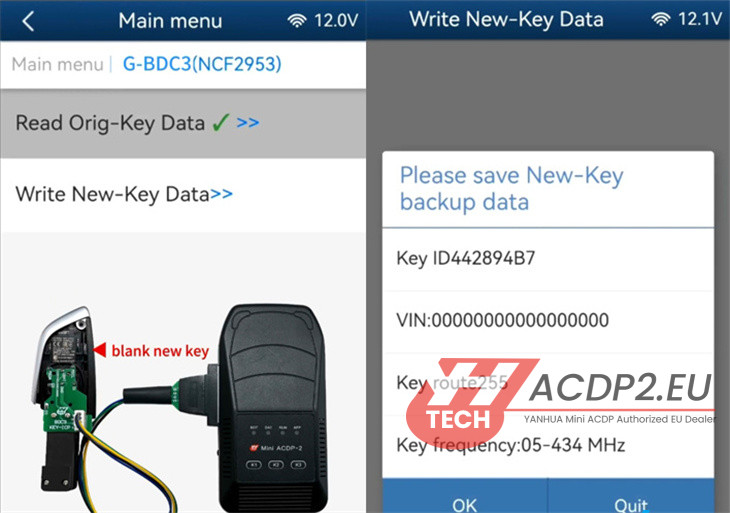
Confirm the new key is blank/unprogrammed.
Select the backup file from the original key.

Check the original key information and proceed to write the data.
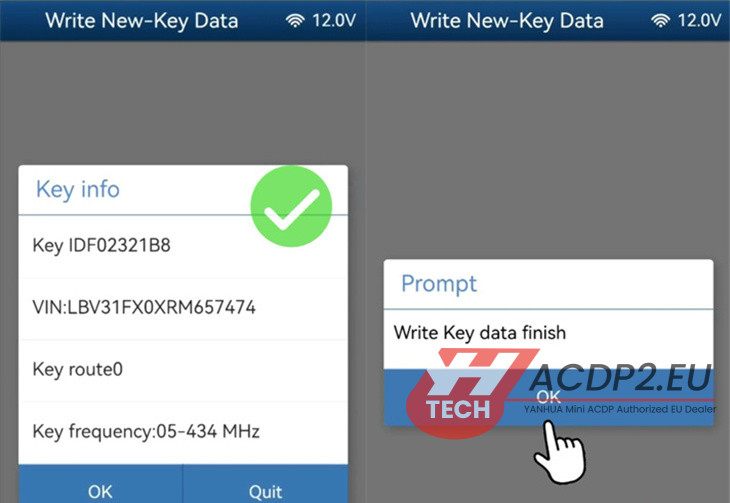
8.Verify the Cloned Key
Disconnect Yanhua ACDP BDC3 Interface Board and reconnect the BAV adapter.
Insert the new key and navigate to Special Function → Identify Key Info.
Confirm that the data from the new key matches the original.
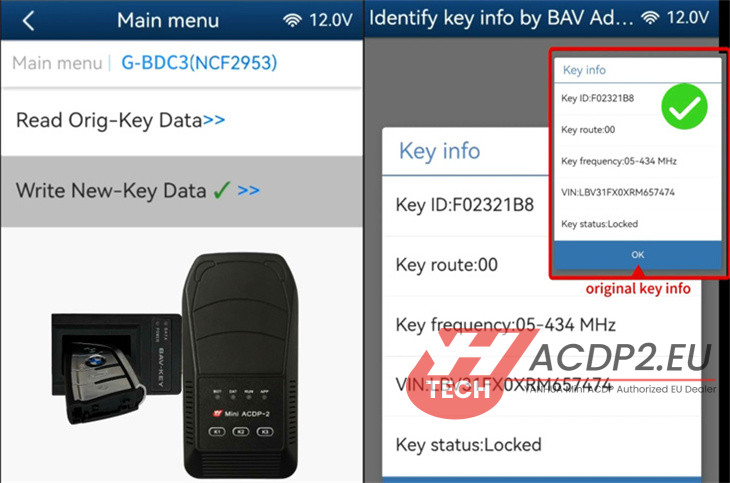
✅ Completion: After successful verification, the cloned key is ready for use.