How to correct mileage for VW MK8 Golf 5D by Yanhua ACDP2?
Yanhua Module 34 and 5D Interface Board are required to work with ACDP2/ACDP on bench.
2021-2022 Golf 8 models equipped with 1401 CPU and 5D instrument types are supported.
Whole mileage correction process will take about 10 minutes.
Preparation:
- VW MK8 Golf dashboard
- Yanhua Mini ACDP2
- ACDP R7F701401/21- (5D) Interface Board
- Yanhua ACDP Module 34 with license (MQB V2 Adapter, 20 PIN cable)
Procedure:
1.Software Navigation
Run ACDP APP/ACDP-II software
Navigation path:
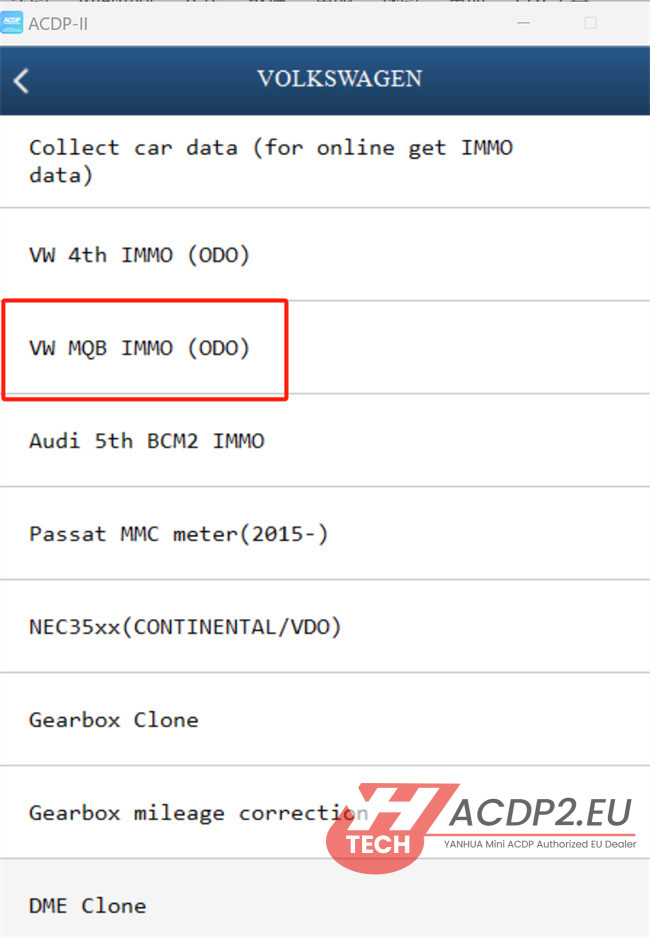
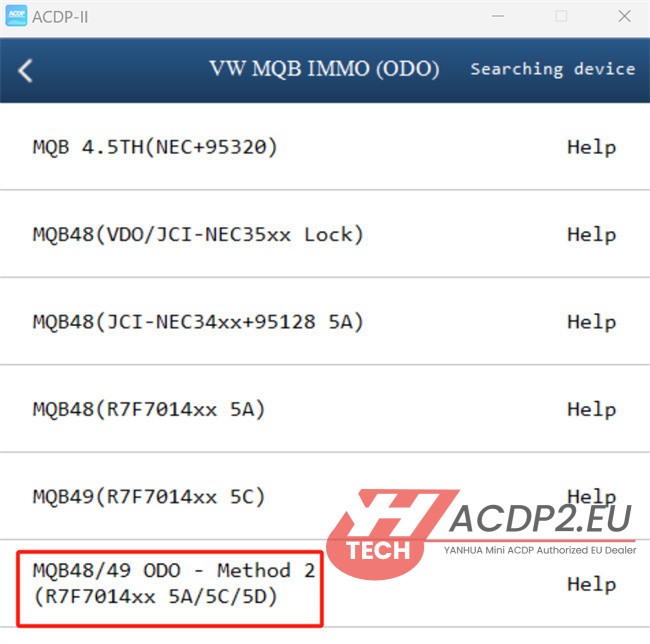
Volkswagen -> VW MQB IMMO (ODO) -> MQB48/49 ODO- Method 2 (R7F7014xx 5A/5C/5D)
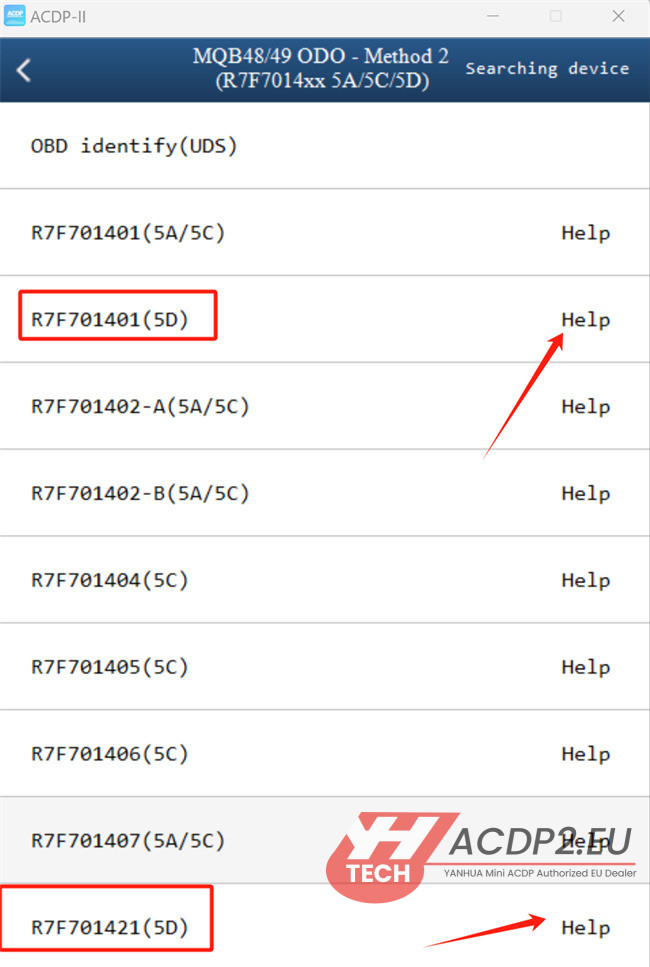
Select “R7F701401 (5D)” or “R7F701421 (5D)”.
Important:
Before proceeding, click the “Help” button to view and confirm the correct wiring diagram for your setup
2.Device Connection
For 1401 CPU chip model

- Required Accessories:
Ensure you have Mini ACDP2, Module 34, ACDP 5D Interface Board, and dashboard ready

- Installation Steps:
1).On the instrument cluster, locate the installation area for Yanhua ACDP R7F701401/21- (5D) Interface Board. Use the visual positioning marks on the interface board as a guide. Remove the two screws from this area

2).On the instrument panel’s PCB, identify the four positioning holes labeled D1, D2, D3, and D4

3).Carefully place the interface board into the prepared installation area. Ensure the board’s D1 and D2 positioning points align perfectly with the corresponding holes on the PCB. Also, align the screw hole

4).Verify the test points pin definition

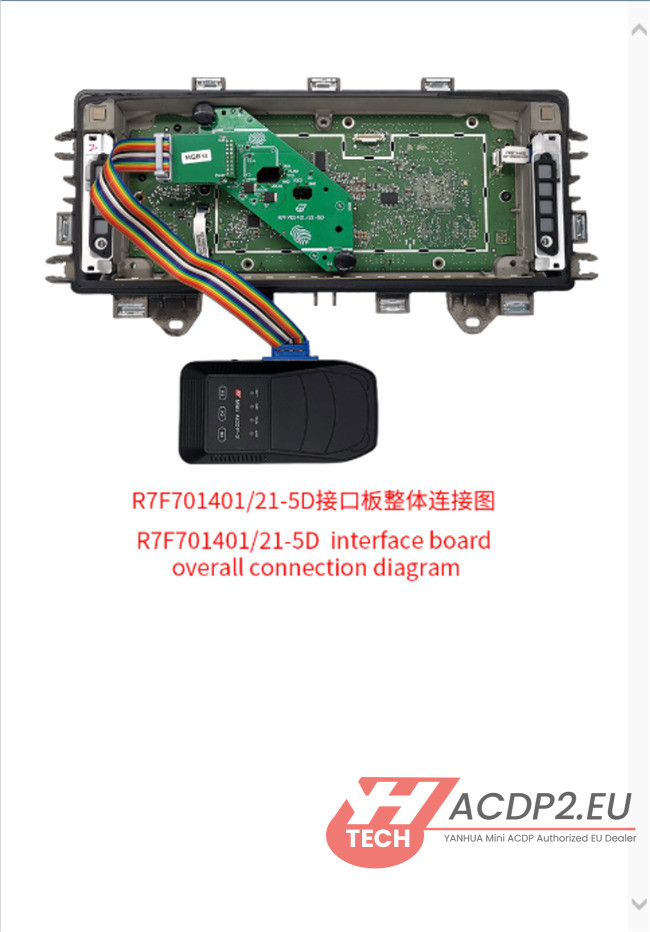
5).Connect all components (ACDP2 with Module 34, Yanhua R7F701401/21- (5D) Interface Board) according to the overall connection diagram
Ensure all connections are secure.
- Mileage Correction
Perform the functions below according to the on-screen prompts step by step.
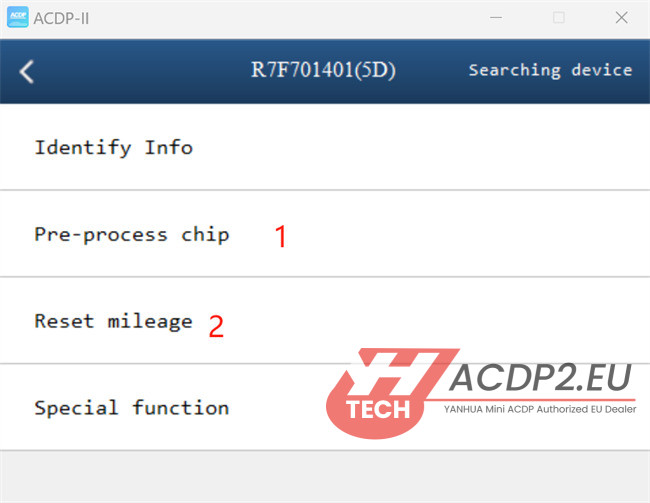
Step 1: Pre-process chip
Step 2: Reset mileage