



BMW B48 (MG1CS003 SPC5777) ISN reading can be done by Yanhua ACDP2 in BENCH mode without removing the DME shell. ACDP Module 3 (with license) and Yanhua B48/B58 Bench Interface Board are required for this function.
ACDP-II APP Navigation Path:
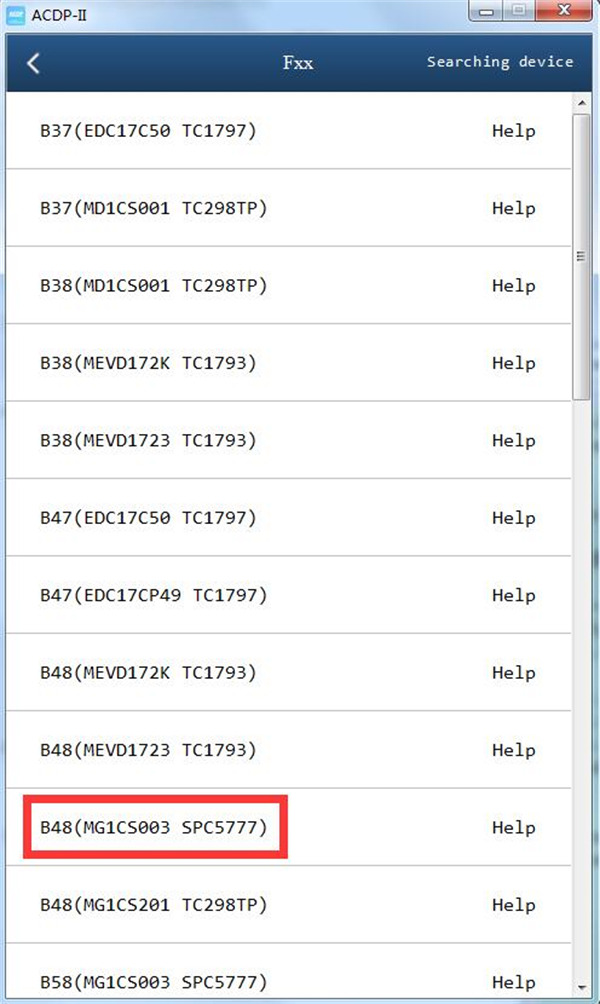
BMW-> DME ISN-> BENCH Mode Read/Write DME ISN-> BOSCH DME-> Fxx-> B48 (MG1CS003 SPC5777)
Click “Help” to check the wiring diagram


Connection Method:
Step 1. Please prepare Mini ACDP2 key programmer, 20Pin cable, ACDP B48 Interface Board and BMW B48 DME.

Step 2. Connect Yanhua B48 Interface Board correctly to B48 DME interface as shown.

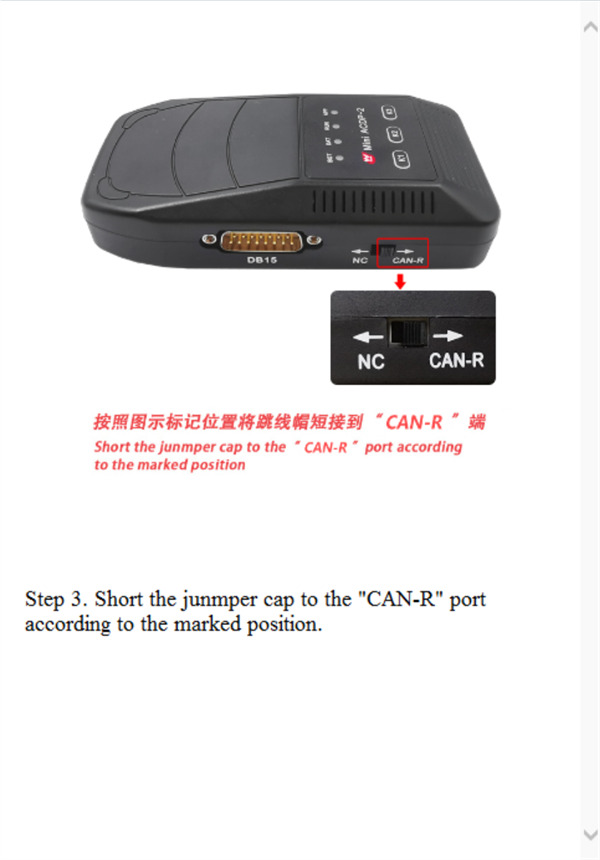
Step 3. Short the jumper cap to the “CAN-R” port according to the marked position.
Step 4. Connect ACDP2, 20Pin cable, B48 Interface Board and DME.

After connection, click “Read ISN”, the system will automatically read and save the data.

Key Tips:
1.Please don’t cut the power nor pull out the device during the programming;
2.Please carefully backup the ISN data.