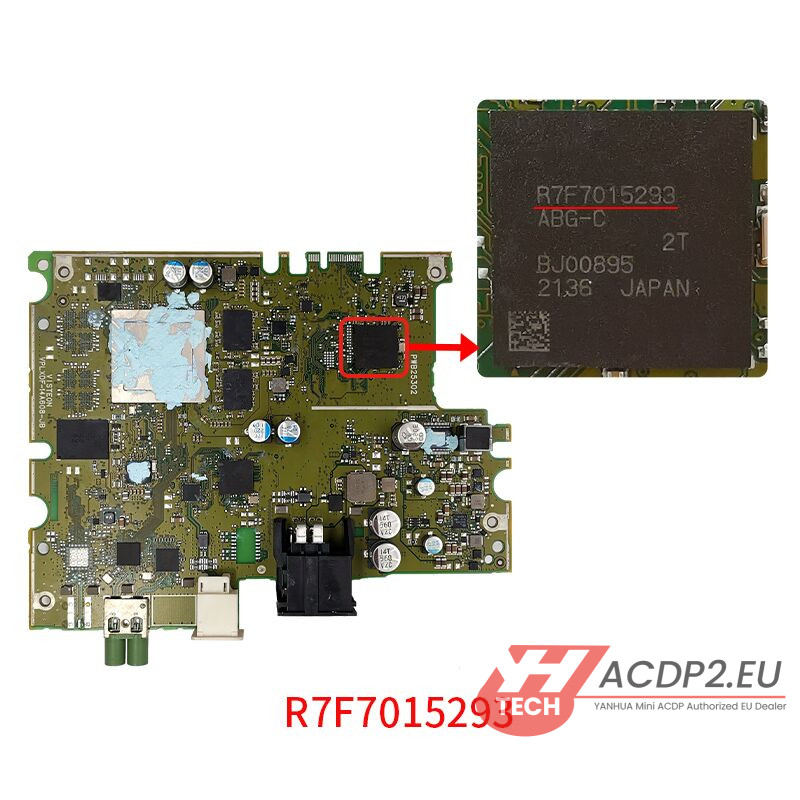
In this step-by-step guide, we will demonstrate how to install Yanhua ACDP Module 39 on Mercedes-Benz HU7 instrument clusters (A206, A223, and A177 platforms) featuring chip models R7F7015293 and R7F7015294.
Yanhua’s solder-free interface boards make this process incredibly safe and efficient, eliminating the risk of damaging delicate cluster components.
What’s Inside Yanhua ACDP Module 39 Kit?
Before getting started, ensure your Module 39 package contains the following components:
- 1x BENZ-HU7-A (R7F7015293) Interface Board
- 1x BENZ-HU7-B (R7F7015294) Interface Board
- 1x MQB V2 Adapter
- 1x MB HU7 Instrument Module Emulator


Important Note: The included MB HU7 emulator is tied to the vehicle. One emulator can only be used for one car.
How to Identify Your Dashboard Type & Select the Right Board?
Depending on the specific Mercedes-Benz HU7 cluster type you are working on, you will need to choose the correct interface board and configure the DIP switches properly.
1. BENZ-HU7-A Board (For Chip R7F7015293)

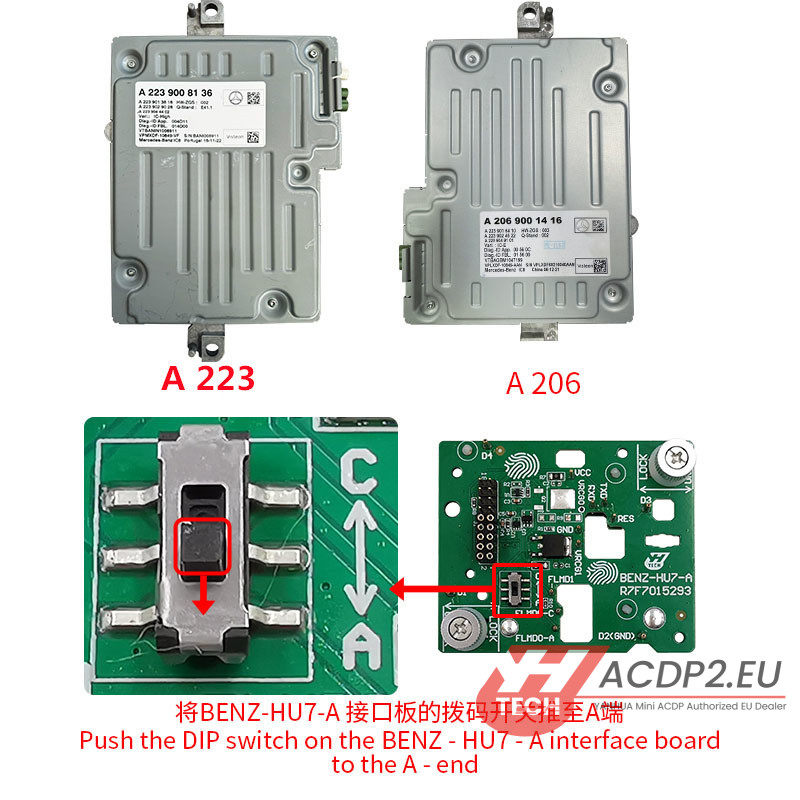
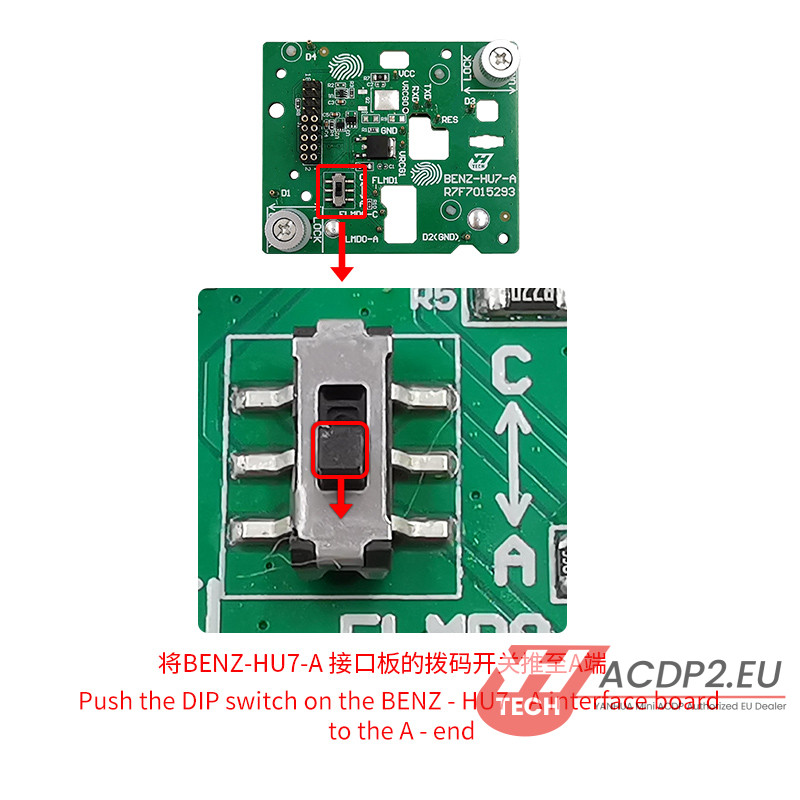
For A223 & A206 Dashboards: Slide the DIP switch on Yanhua Module 39 BENZ-HU7-A interface board to the A- end.
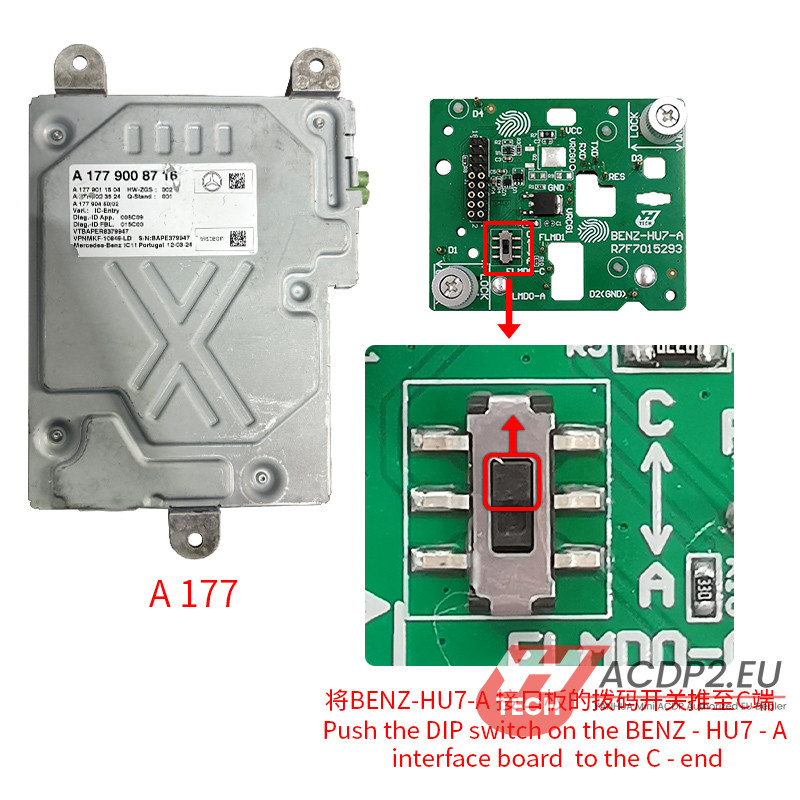
For A177 Dashboards: Slide the DIP switch on BENZ-HU7-A interface board to the C- end.
2. BENZ-HU7-B Board (For Chip R7F7015294)
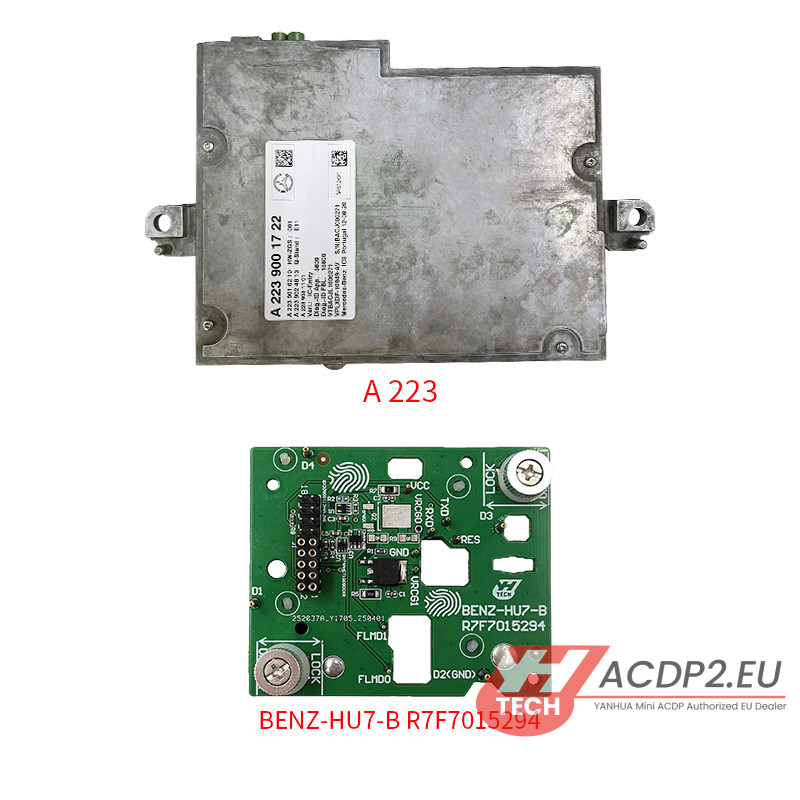
Specifically designed for BENZ HU7 A223 dashboards equipped with the R7F7015294 MCU.

Step-by-Step Installation Guide
Option A: Installing the BENZ-HU7-A (R7F7015293) Interface Board
(Applicable to A223 / A206 / A177 Clusters)
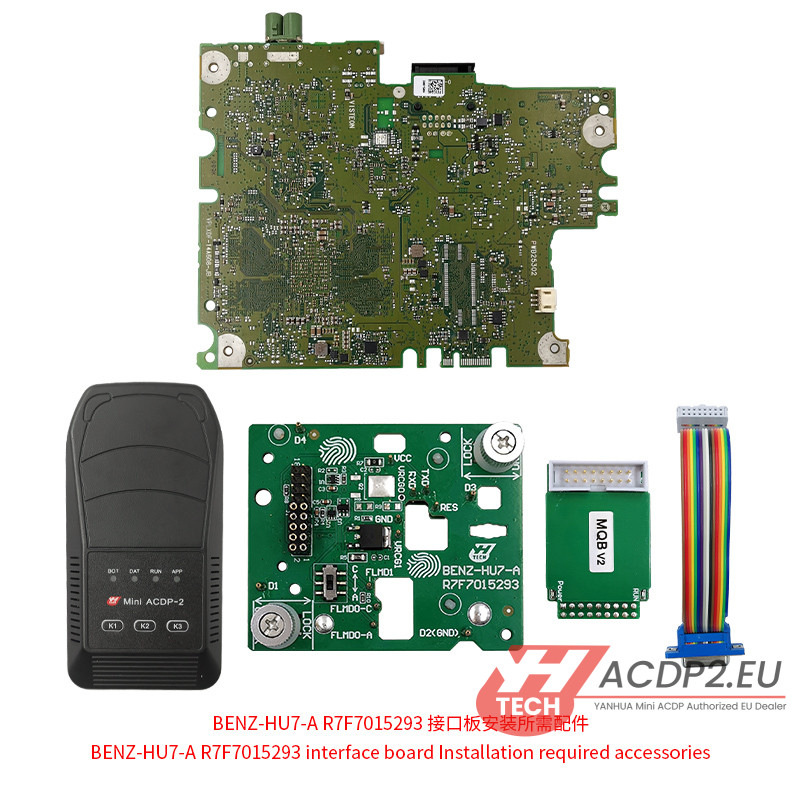
Hardware Preparation:
- Yanhua Mini ACDP-2 Main Unit
- BENZ-HU7-A R7F7015293 Interface Board
- MQB V2 Adapter & 20-PIN Cable
- The target BENZ HU7 Dashboard Module
Step 1: Unlock the Interface Board
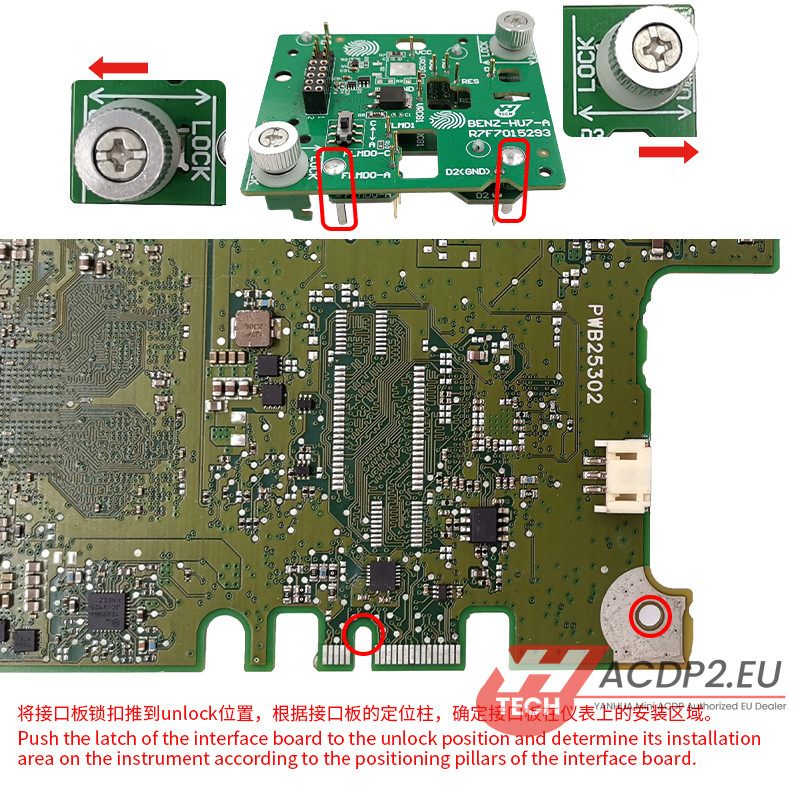
Push the plastic locking latch on the interface board to the Unlocked position. Use the alignment pillars on the underside of the board to locate the correct installation area on the cluster PCB.
Step 2: Configure the DIP Switch
Set the DIP switch based on your chassis: Slide to the A-end for A223/A206, or slide to the C-end for A177.
Step 3: Locate Alignment Holes
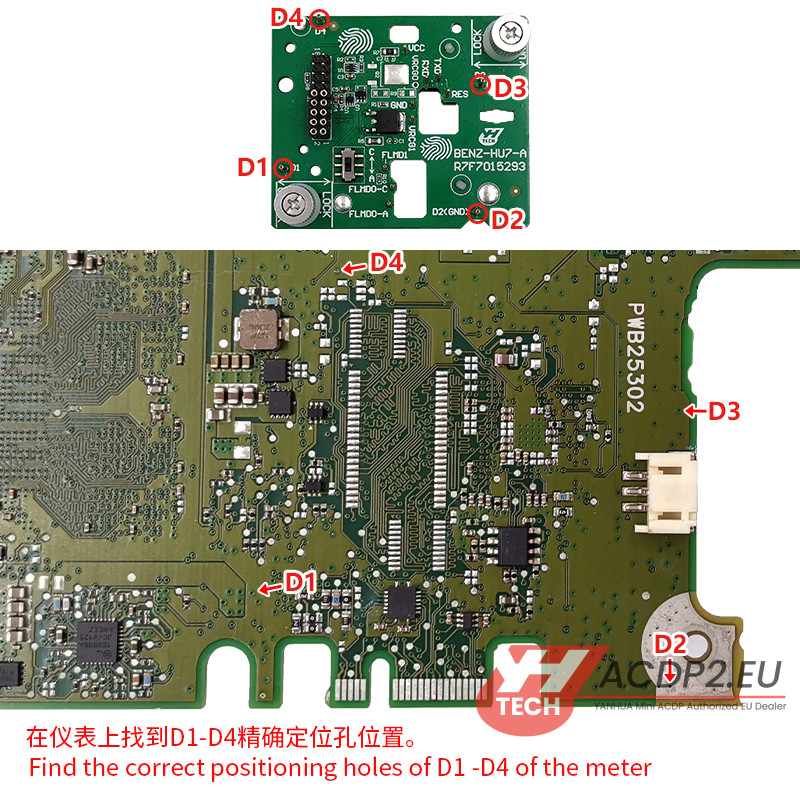
Locate the factory positioning holes labeled D1, D2, D3, and D4 on the dashboard circuit board.
Step 4: Verify Test Points
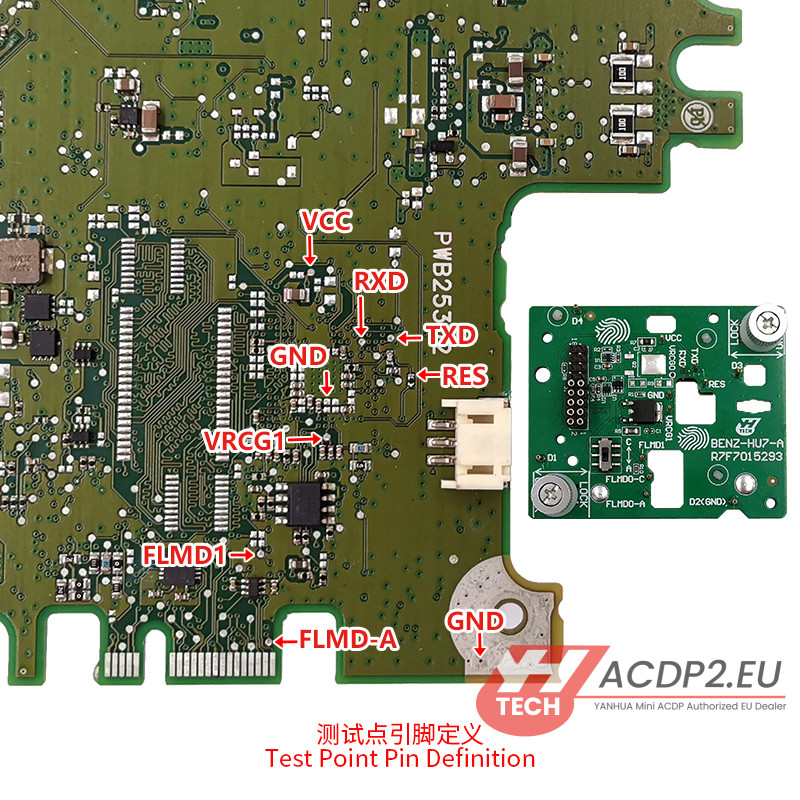
Double-check the pogo pin test definitions to ensure all contacts on the board are clean and straight.
Step 5: Align and Seat the Board
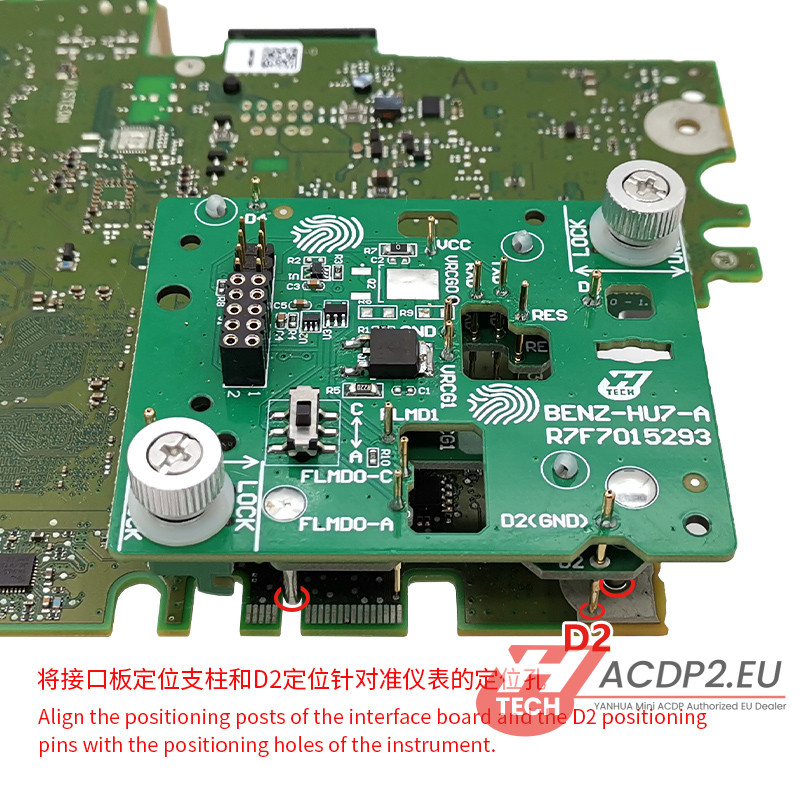
Carefully align the board’s positioning posts and the D2 guide pin directly into the corresponding cluster positioning holes.
Step 6: Lock and Secure
Press down firmly but gently on the interface board. Slide the PCB lock buckle into the Locked position to secure the connection. Installation is complete!

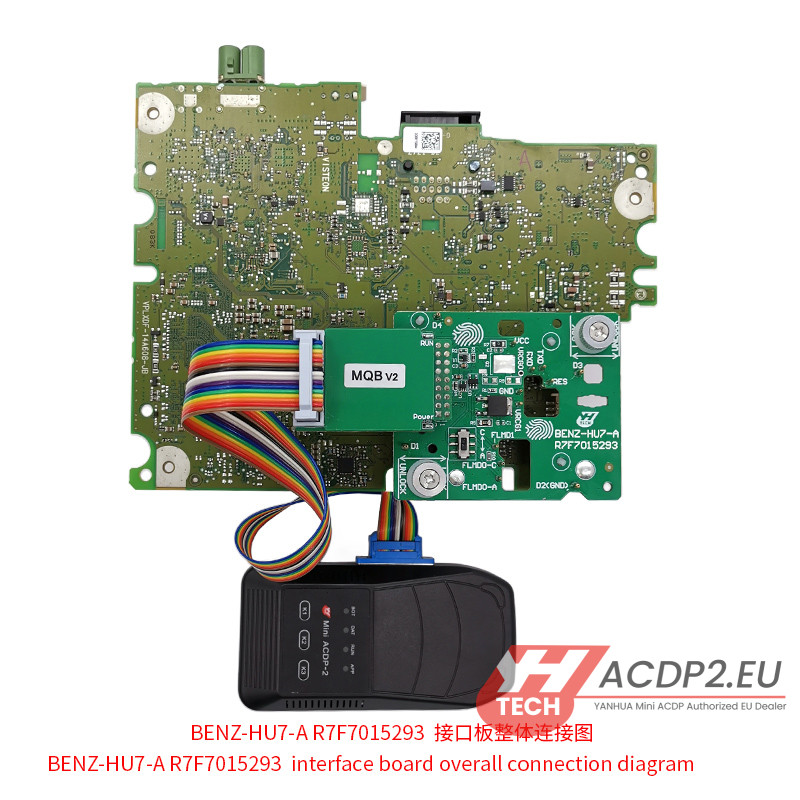
Note:
The installation steps of Benz HU7 A177 are the same as A223/ A206.
The difference is step 2 and step 4.
For A177 dashboard module:

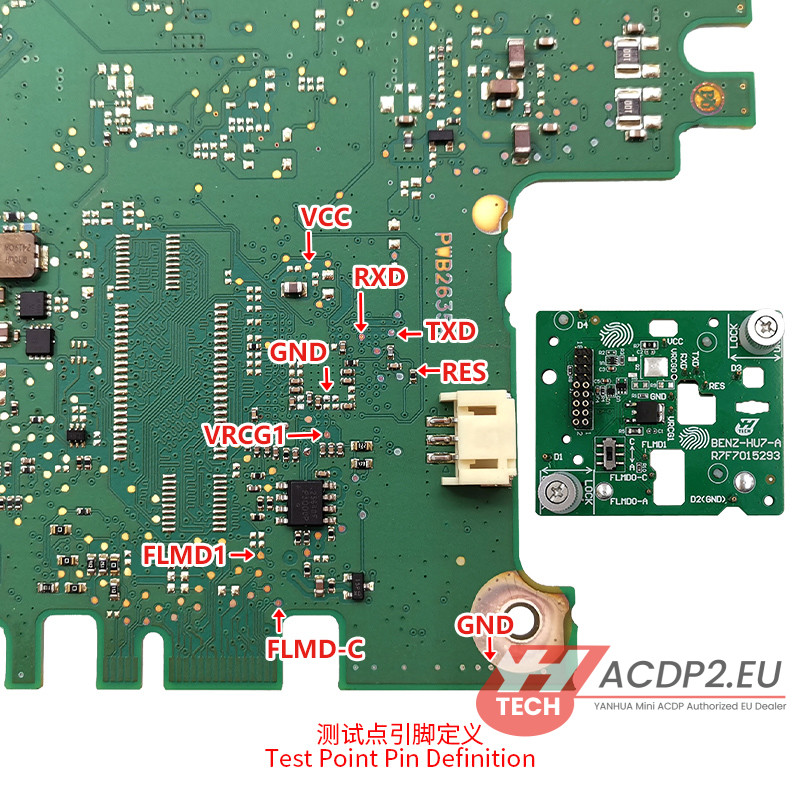
Option B: Installing the BENZ-HU7-B (R7F7015294) Interface Board
Hardware Preparation:
- Yanhua ACDP-2 Main Unit
- BENZ-HU7-B R7F7015294 Interface Board
- MQB V2 Adapter & 20-PIN Cable
- BENZ HU7 A223 Dashboard Module
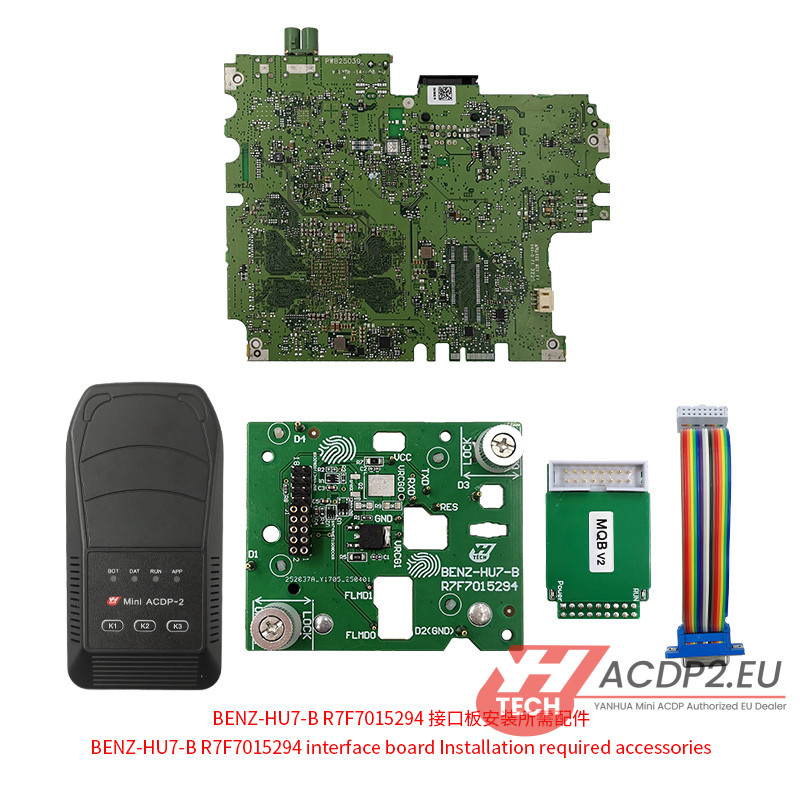
Step 1: Unlock the Latch
Slide the locking latch to the Unlocked position and visually match the board’s structural pillars to the designated layout on the instrument cluster.
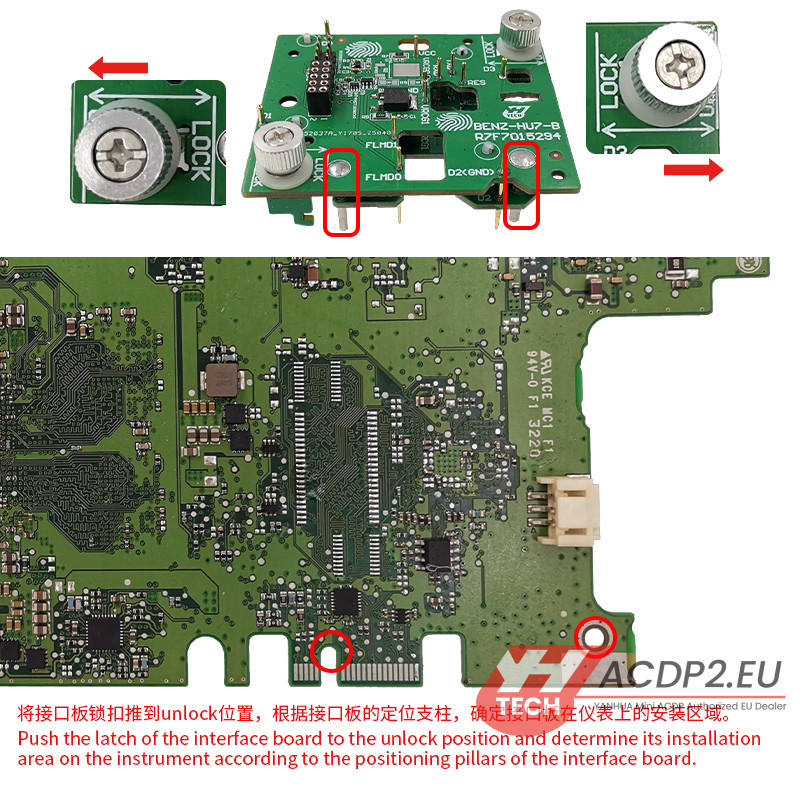
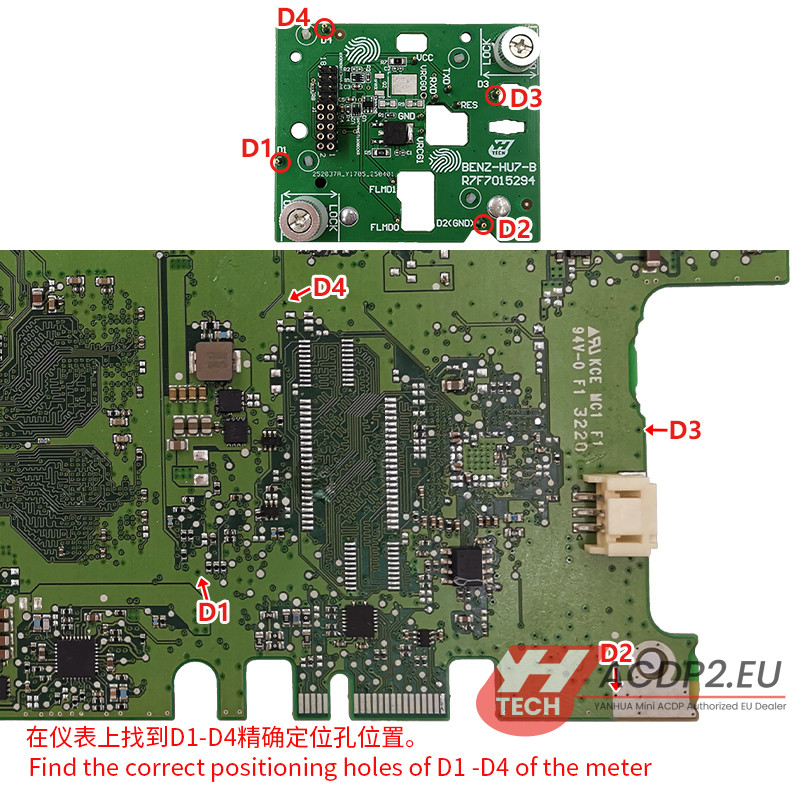
Step 2: Locate D1-D4 Positions
Identify the target D1 through D4 positioning holes on the Mercedes PCB.
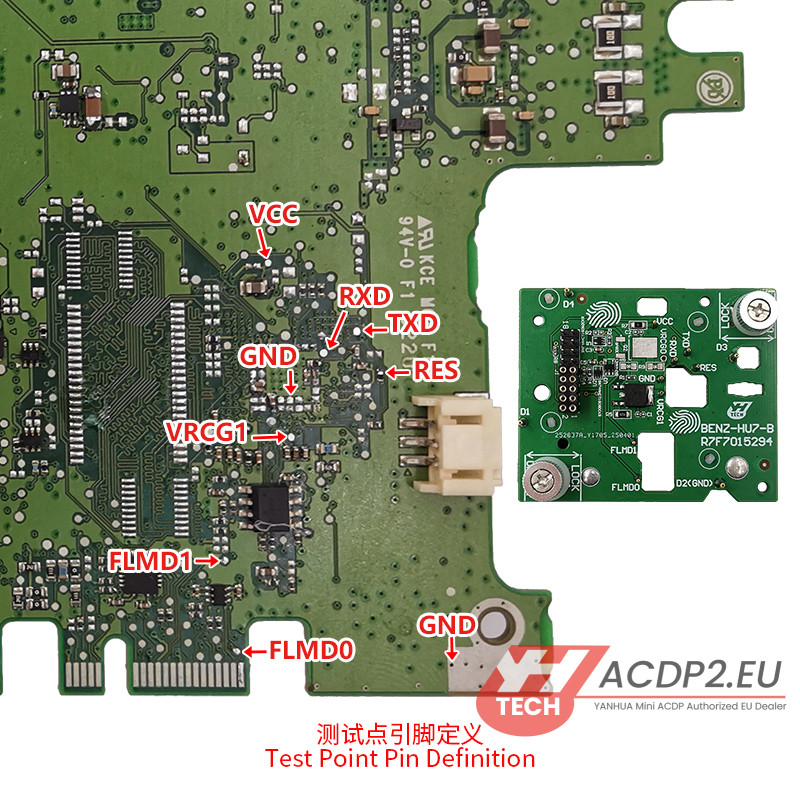
Step 3: Verify Pin Alignment
Confirm the test point pins are perfectly aligned with the target contact pads on the module.
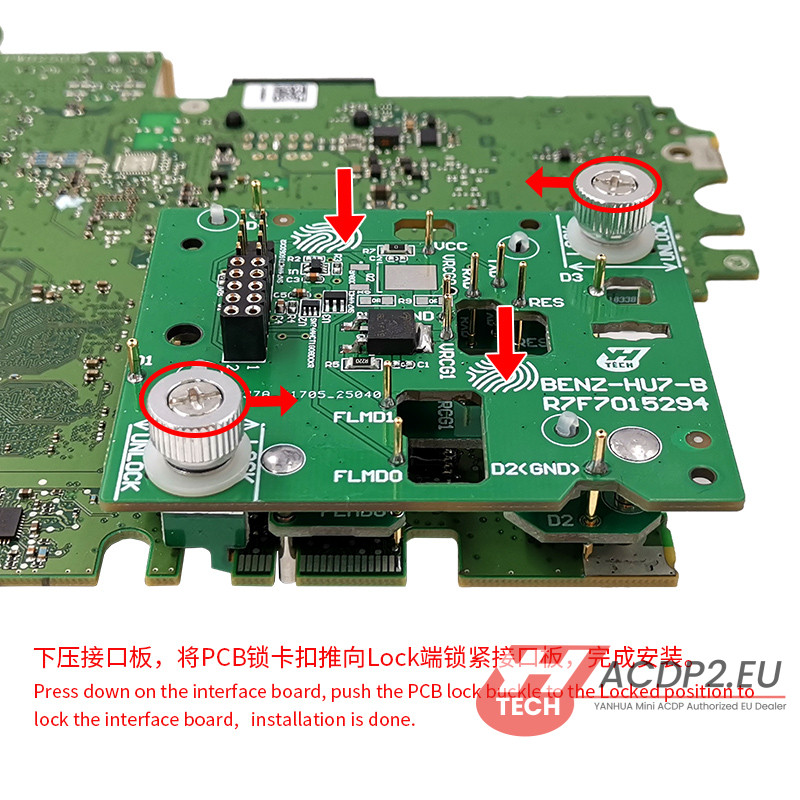
Step 4: Mount the Interface Board
Lower the interface board straight down, ensuring the D2 positioning pin seats smoothly into its hole.

Step 5: Engage the PCB Lock
Apply light downward pressure and push the locking mechanism into the Locked position to secure the solderless connection.
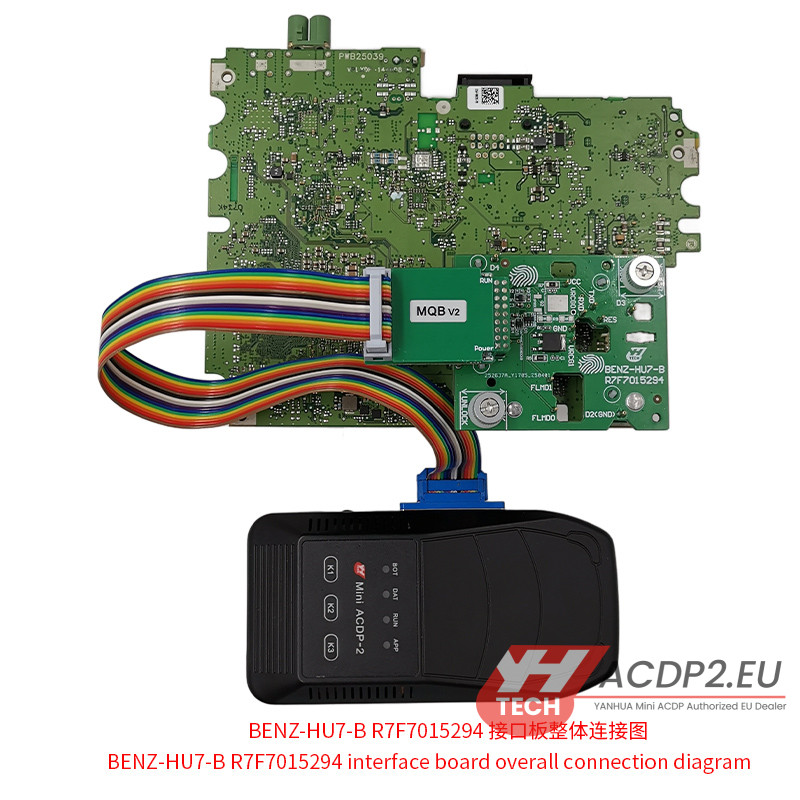
How to Install Yanhua MB HU7 Instrument Emulator?
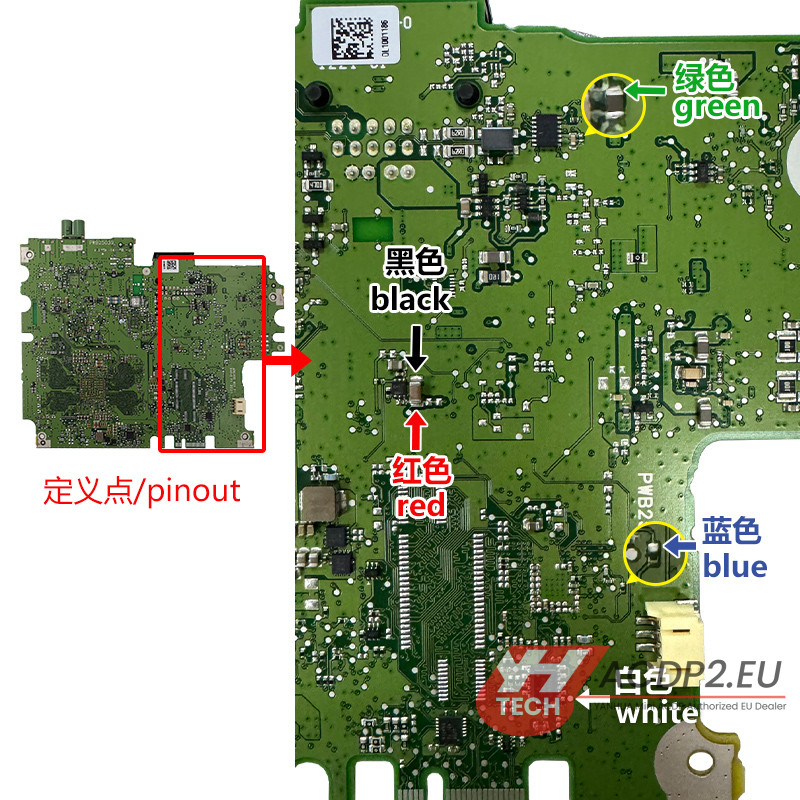
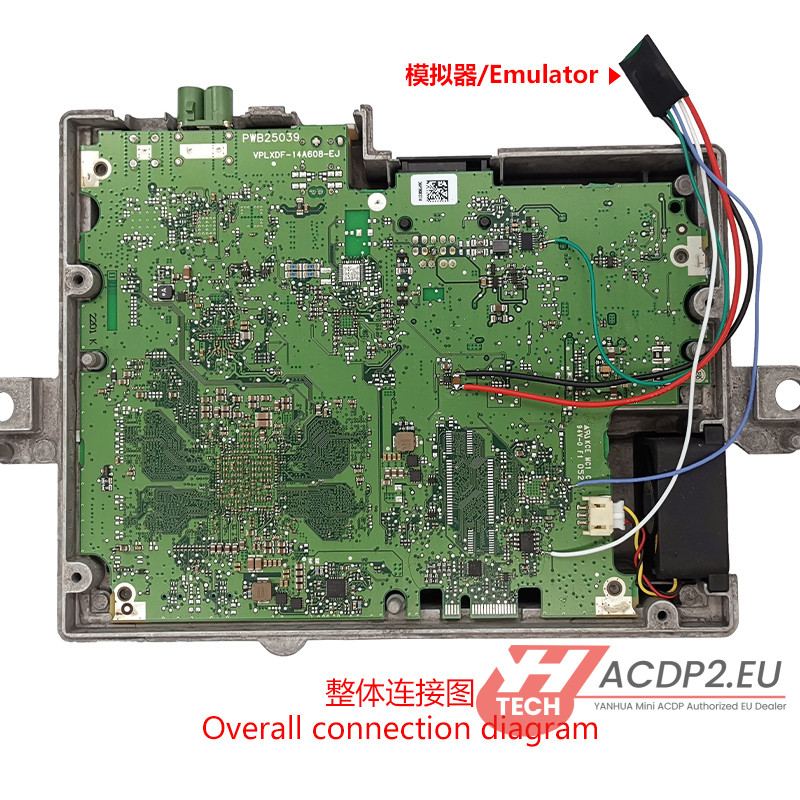
Once your interface board is securely mounted, you need to wire MB HU7 Instrument Module Emulator.
Please follow the color-coded pinout map strictly to prevent communication errors.