



This guide details bench-based mileage correction for 2022+ VW DQ38x (0DE/0GC) and DQ500 (0DL) transmissions equipped with the BH1G0401 bootloader and 7-pin connector. The procedure requires a Yanhua Mini ACDP1 or ACDP2 with Module 45.
Applies to:
- VW DQ38x 0DE/0GC (2022+)
- VW DQ500 0DL (2022+)
Featuring BH1G0401 bootloader & 7-pin TCU connector
Before You Start:
- Yanhua ACDP1 users → Use ACDP1 Module 45
- Yanhua ACDP2 users → Use ACDP2 Module 45
These are not interchangeable.
Step 1: Confirm TCU Type
Locate your gearbox TCU. If it has a 7-pin connector (see reference image), you’re on the right track. Older 4-pin or 6-pin units require a different approach.
Step 2: Set Up Bench Connection
Remove the original gearbox connector
Attach Mini ACDP + Module 45 SH25xx-0DE board to gearbox
Set the jumper to “CAN-R”
Power on ACDP device

Step 3: Identify System Info
Launch ACDP mobile app.
Check the top-right corner to verify device connection.
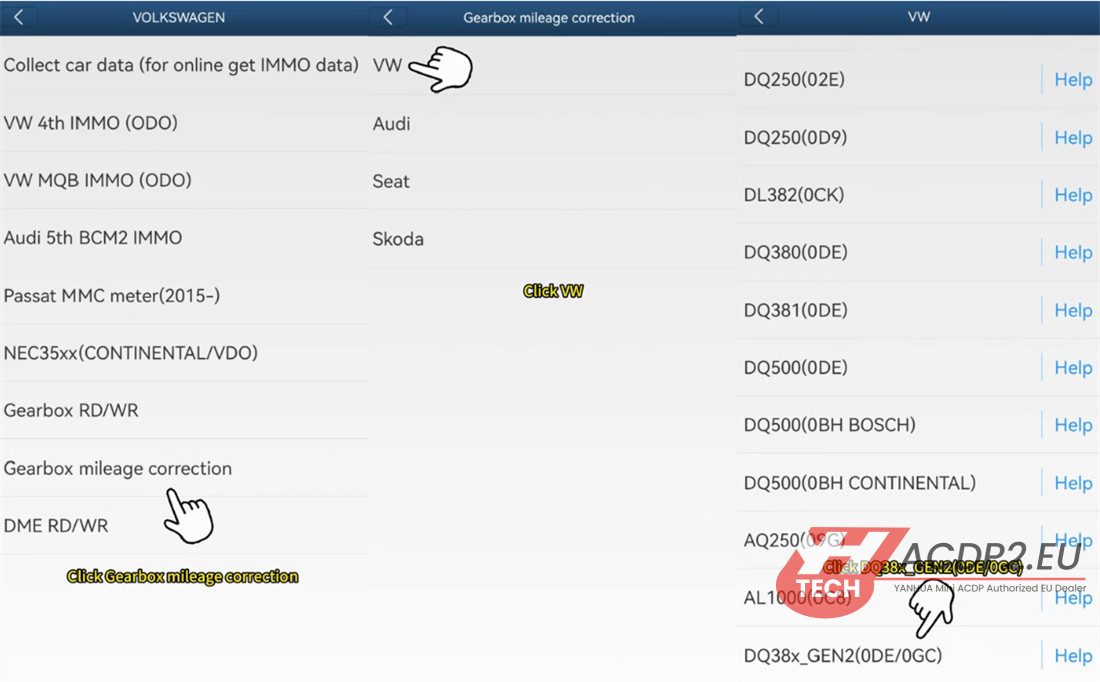
Navigation path: VW/AUDI → Gearbox mileage correction → VW → DQ38x_Gen2 (0DE/0GC)
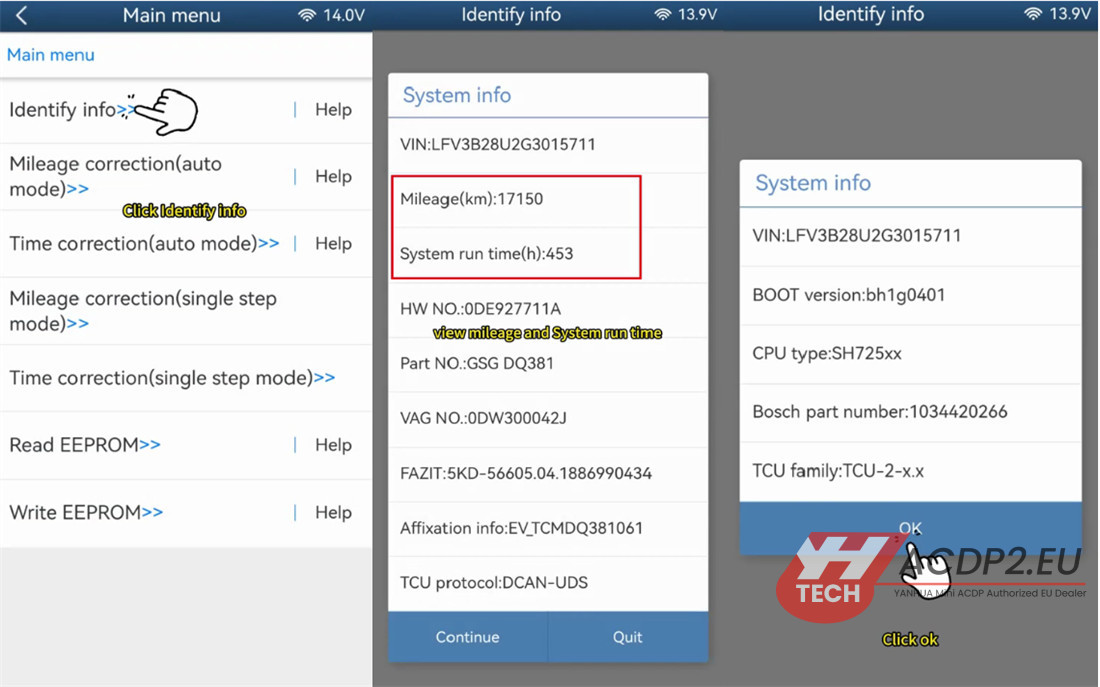
Press “Identify info” to read system data.
Document the current mileage and runtime. Take a screenshot for your records.
Step 4: Modify Mileage (Auto Mode)
Select “Mileage correction (auto mode)”
The tool will read system and chip data
Save the EEPROM data (always keep a backup)
Enter your target mileage (example: change 17,150 km → 16,300 km)
Tap to write the chip
Wait for completion confirmation

Step 5: Modify Runtime (Auto Mode)
Select “Time correction (auto mode)”
Verify the mileage now shows your new value
Save EEPROM data again

Enter the new runtime (example: change 453 hours → 450 hours)
Write the chip
Confirmation message = success

Existing Yanhua Customers: Good News
If you already own any of these modules:
✅ ACDP Module 19/ ACDP2 Module 19
✅ ACDP Module 25/ ACDP2 Module 25
✅ ACDP Module 30/ ACDP2 Module 30
You do not need to buy Module 45 hardware. Simply purchase Module 45 license (A60B) to unlock DQ38x Gen2 support on your existing module.
Read also: