



Yanhua Mini ACDP/ACDP2 with Module 38 license and ACDP BMW BDC3/BCP ICP Key Interface Board can perform key adding for BMW G-series (BDC3) and U-series (BCP ICP) vehicles on bench. This guide provides the correct connection methods.
ACDP APP Menu Path:
BMW -> IMMO/Mileage -> BDC3/BCP ICP Copy Key -> G-BDC3 (NCF2953) or U-BCP (NCF295E)


Connection Guide:
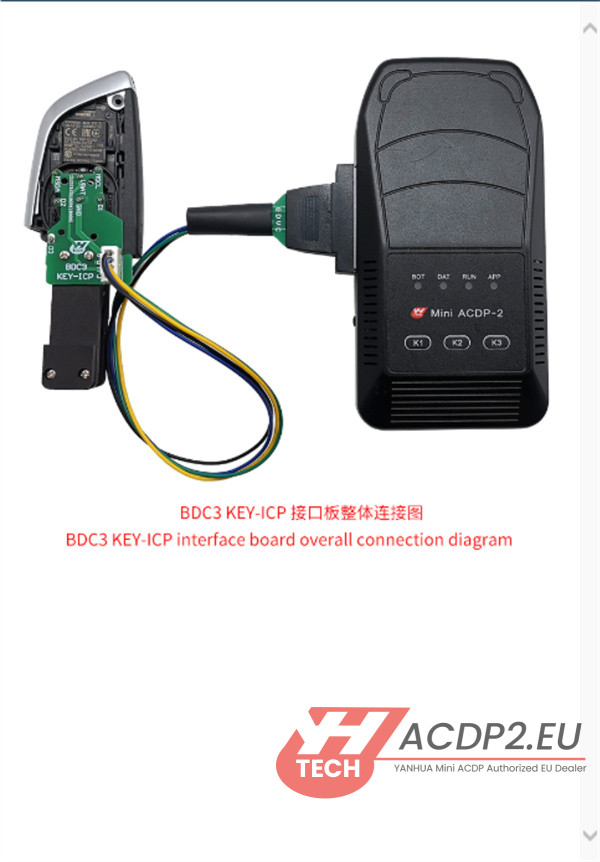
A. For BMW BDC3 Key (2020-2024 G Series, Hungary Type)
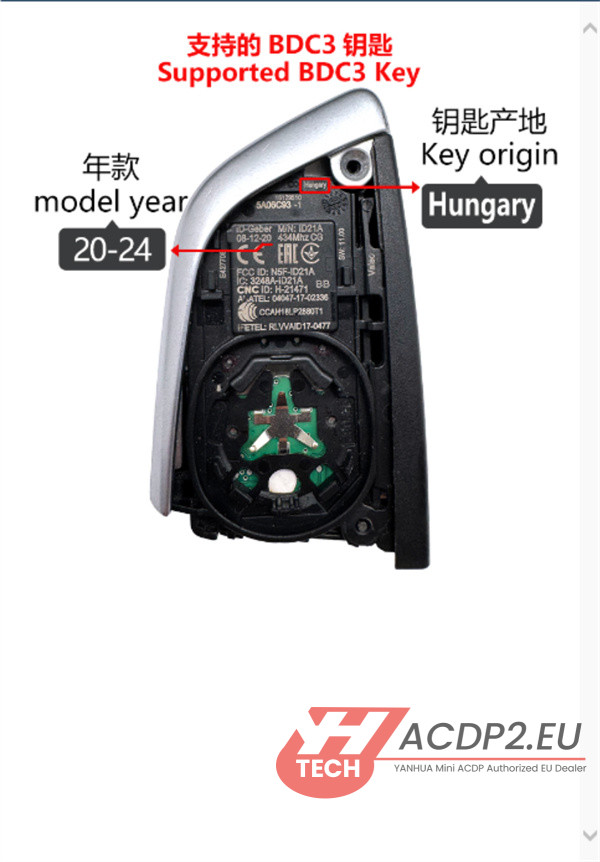
Preparation:
- Yanhua ACDP Device
- Yanhua BMW BDC3 Key-ICP Interface Board
- BMW BDC3 Smart Key
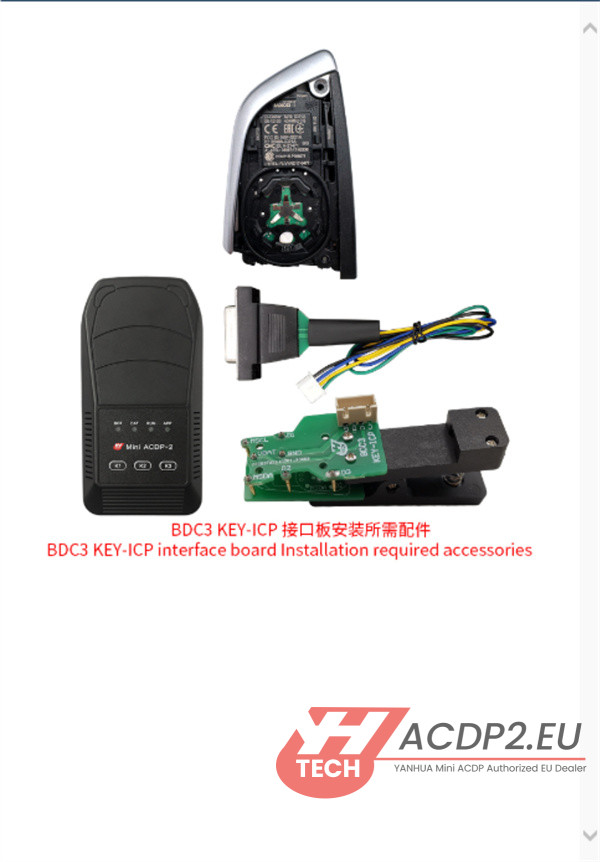
Installation Steps:
1.Verify Pin Definitions: Check the test point pin definitions on the interface board.
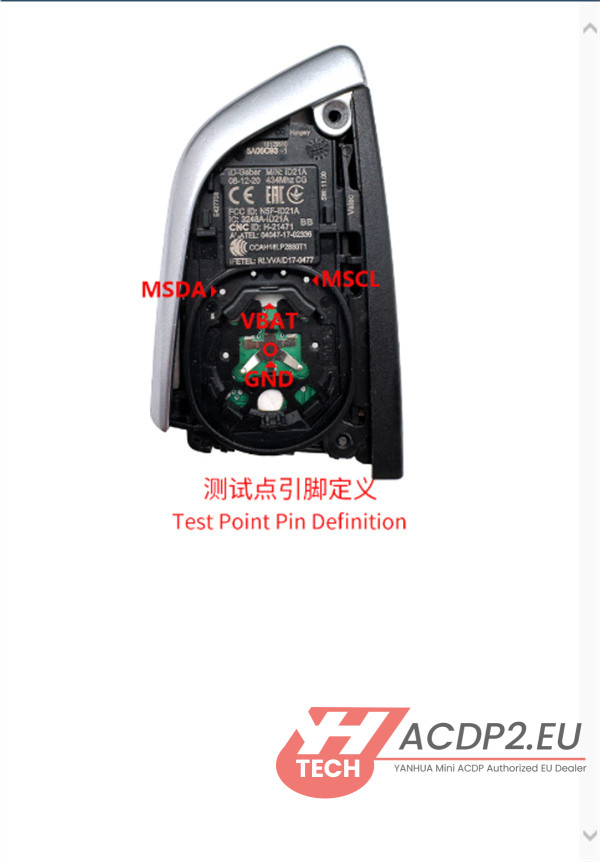
2.Locate Positioning Points: Identify the D1, D2, and D3 positioning markers on the key’s circuit board.
3.Align and Place Board: Carefully position Yanhua BDC3 interface board onto the key’s PCB.
4.Confirm Test Point Contact: Ensure the MSCL, MSDA, VBAT, and GND test points are perfectly aligned and making solid contact.
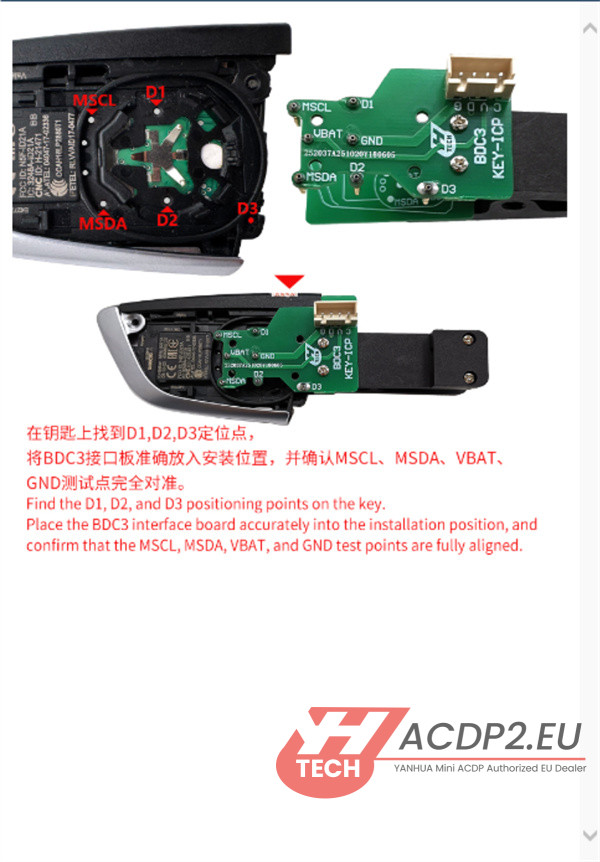
The board is now correctly installed and ready for the key programming procedure.
B.For BMW BCP Key (U Chassis, UWB and Non-UWB versions)
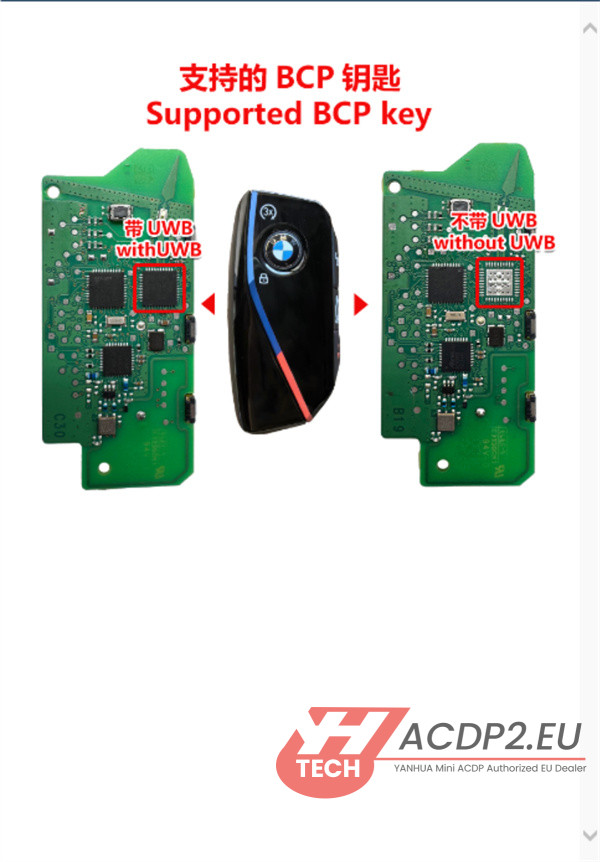
Preparation:
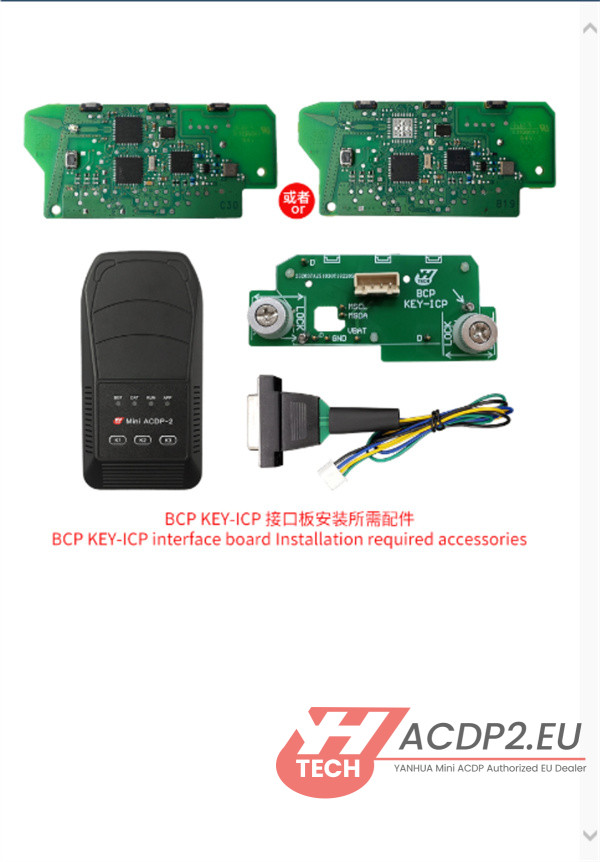
Installation Steps:
1.Verify Pin Definitions: Confirm the test point pin definitions on the interface board.

2.Unlock the Latch: Slide the interface board’s locking latch to the unlock position.
3.Align Positioning Pins: Align the board’s positioning pins with the corresponding holes on the key’s PCB.

4.Secure the Board: Press Yanhua BMW BCP interface board down firmly. Then, slide the PCB locking latch towards the Lock position to secure the board in place.

The installation is now complete, and the key is ready for data reading and writing.

Learn more:
Yanhua ACDP2 Add BMW G Chassis BDC3 key:
Yanhua ACDP2 Add BMW U Chassis BCP key: